Home/ Comparisons/ Karbon Alternatives

Karbon Alternatives: The Best Options for Accounting Firms

Karbon is practice management software for accounting firms, priced at $59 per user a month on Team and $89 on Business when billed annually, with a custom Enterprise tier. Seven credible alternatives publish real numbers. Reading each vendor's own pricing page on August 20, 2026: Jetpack Workflow at $40 and $50 per user, Uku at $19, $38, $48 and $88 per member, Financial Cents at $19, $49 and $69 per user, Canopy at $74, $109 and $149 per user, TaxDome at $700, $900 and $1,100 per seat a year on a three year commitment, and Aero Workflow at $108, $200 and $295 a month for the whole firm rather than per seat. That last one is the difference most comparison lists miss. Normalise every plan to one 25 professional firm on annual billing and the yearly bill runs from $2,400 to $44,700, a spread of about 18.6 times, and the cheapest option is cheapest precisely because it does not charge by the seat. Karbon itself lands mid table at $17,700 on Team and $26,700 on Business. None of that answers whether a practice management platform is the thing your firm is actually short of, which is what the rest of this page is for. When the work that sets your firm apart sits outside any of these products, ColabContent commissions custom AI at a fixed fee of $45,000 to $180,000, integrated with your existing tools and owned by the firm at handoff.

A note on the name, because the search results split across three of them. The vendor calls the product Karbon. Its website is karbonhq.com, so many people search Karbon HQ, and shorten it to Karbon alts when they are hunting for alternatives. Karbon HQ alternatives, Karbon alts and Karbon competitors all describe the same thing, and this page is the comparison for all of them.

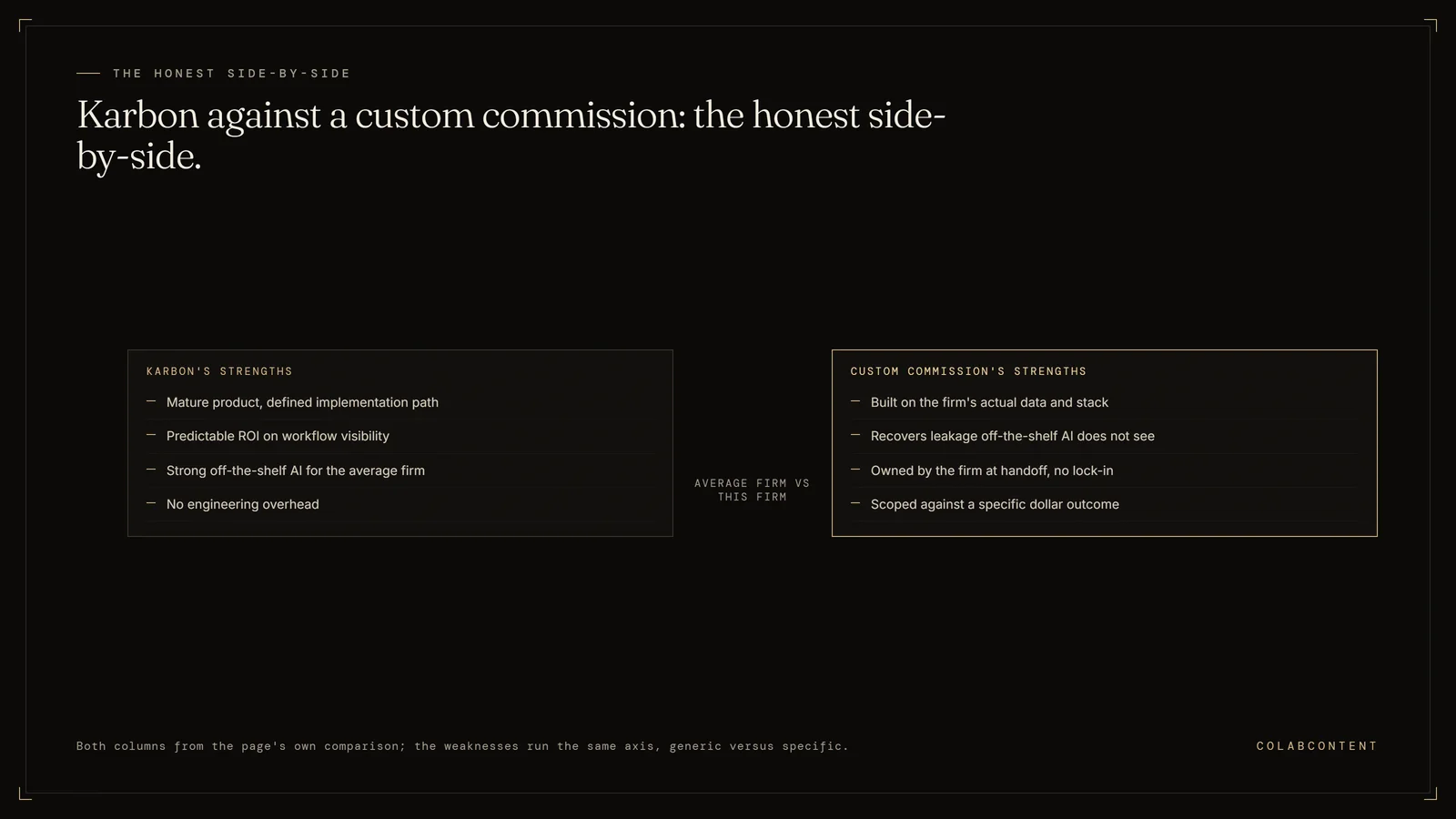
Side-by-side of Karbon's strengths, a mature product with predictable ROI and no engineering overhead, against a custom commission built on the firm's actual data, owned at handoff, and scoped against a specific dollar outcome
The honest side-by-side: the average firm's product versus this firm's build.

An honest comparison. Karbon is excellent for what it is: a workflow and practice-management platform with a good-and-improving AI roadmap. For some firms it is the right answer. For others, commissioned AI on top of CCH Axcess or UltraTax is. Here is when each is.

ForManaging Partners evaluating Karbon
StanceKarbon is good. Sometimes wrong-fit.
Bottom lineDepends on workflow, not on Karbon
CostFree analysis
Prices readAugust 20, 2026

What Karbon does well.

Karbon is the modern practice-management platform for the small-to-mid CPA firm. Workflow orchestration, client communication, document hub, time tracking, billing. The AI roadmap (Karbon AI, the State of AI in Accounting Report cycle) is real and the team behind it is competent. For firms in the 5-30 professional range who are migrating off email-and-spreadsheets, Karbon often is the right answer.

For firms already on CCH Axcess + a real DMS + UltraTax CS, the question gets harder. Karbon is asking the firm to add a workflow layer on top of the tools the firm already has. That is sometimes worth the price; sometimes the leverage is in something else.

Where Karbon is the right answer.

Three patterns where we tell prospects to look at Karbon (or stay on Karbon if they have it):

The 5-30 pro firm with no formal practice-management tool. Karbon is one of the best products in this segment. Implementation is reasonable. The off-the-shelf AI features ship value at this scale. Custom commissioning is overkill.

The firm whose constraint is workflow visibility, not workflow speed. If the partners can't see what is happening across the engagements, Karbon's workflow surfaces solve that. Custom AI doesn't.

The firm that wants to standardize across team members. Karbon's templates and runbooks are excellent for this. Custom AI is expensive overkill.

Where Karbon is the wrong answer.

Three patterns where we tell prospects that Karbon is the wrong tool for the job they actually want done:

The 30-150 pro firm whose constraint is partner-hour leakage in compliance work, not workflow visibility. The partners can already see what's happening. Karbon doesn't fix this. Commissioned AI on top of CCH Axcess + the firm's actual DMS does.

The firm whose tax-prep stack is CCH Axcess + UltraTax CS + ProSystem fx. Adding Karbon means a third or fourth system the staff logs into. The leverage available is in deeper automation inside the existing stack, not in another layer on top.

The firm whose advisory pipeline is the bottleneck, not their compliance workflow. Karbon's strength is compliance workflow. Karbon's roadmap doesn't address this.

The honest side-by-side.

Karbon's strengths: mature product, good support, predictable ROI on workflow visibility, strong off-the-shelf AI features for the average firm, defined implementation path, no engineering overhead.

Custom-commission strengths: built on the firm's actual data and stack, no migration, recovers leakage that off-the-shelf AI does not see, owned by the firm at handoff (no vendor lock-in), scoped against a specific dollar outcome.

Karbon's weaknesses, for the mid-market: still a generic product calibrated to the average firm; the AI features are good but not specific to your matter mix; adds another tool to the staff's daily stack; subscription cost compounds across years.

Custom-commission weaknesses: bigger one-time spend; requires a tighter scope; only worth it for firms with specific differentiation; less off-the-shelf support if the firm wants to evolve the system materially.

What we recommend.

Run the two-question diagnostic from Lesson 2 of the AI-Ready Course. If your firm's biggest constraint is workflow visibility or team standardization, Karbon is probably the right answer. If your biggest constraint is partner-hour leakage in compliance, advisory pipeline that doesn't ship, or your specific tax-prep stack, the CCH Axcess AI Workflow Playbook or UltraTax AI Integration Playbook describes the alternative.

About 40% of the diagnosis calls we run with CPA firms end with us recommending Karbon (or another off-the-shelf tool) because it is the right answer for their case. The other 60% end with a custom-commission scope. The honest framing is: there is no universal right answer; there is a right answer for your specific firm.

Published prices

What the alternatives actually charge.

Most Karbon alternatives lists name products and then go quiet about money. This one does not. Every number below was read from the vendor's own pricing page on August 20, 2026, and nothing here is taken from a review aggregator, a comparison blog, or a competitor's calculator, because those go stale quietly and we cannot audit them. Where a vendor publishes no number we say so rather than filling the cell.

VendorSold byPublished plans, annual billingTop tier
KarbonPer user / month$59 Team, $89 BusinessEnterprise custom, no price published
TaxDomePer seat / year$700 Essentials (solo only), $900 Pro, $1,100 Business, on a three year commitmentQuote requested above 25 seats
CanopyPer user / month$74 Standard, $109 Plus, $149 PremiumEnterprise custom, no price published
Financial CentsPer user / month$19 Solo (single user firms), $49 Team, $69 ScaleEnterprise custom, no price published
UkuPer member / month$19 Solo, $38 Team, $48 EliteEnterprise published at $88, which is unusual
Jetpack WorkflowPer user / month$40 Starter, $50 PremiumNo tier above Premium
Aero WorkflowPer firm / month, in user bands$108 for 1 to 5 users, $200 for 6 to 25, $295 for 26 to 50No tier above 50 users

Six of the seven charge by the seat. Aero Workflow does not, and that single structural difference matters more to a mid sized firm's bill than any feature on any of these websites. So normalise them. Hold one firm fixed at 25 professionals, all on annual billing, all at list price with nothing negotiated, and ask what each plan costs that firm for a year.

Vendor and planOne year, 25 peopleHow it is calculated
Aero Workflow, Growth$2,400$200 a month for the 6 to 25 band, times 12, regardless of headcount
Uku, Team$11,400$38 x 25 x 12
Jetpack Workflow, Starter$12,000$40 x 25 x 12
Financial Cents, Team$14,700$49 x 25 x 12
Jetpack Workflow, Premium$15,000$50 x 25 x 12
Karbon, Team$17,700$59 x 25 x 12
Financial Cents, Scale$20,700$69 x 25 x 12
Canopy, Standard$22,200$74 x 25 x 12
TaxDome, Pro$22,500$900 x 25, on a three year commitment
Karbon, Business$26,700$89 x 25 x 12
TaxDome, Business$27,500$1,100 x 25, on a three year commitment
Canopy, Plus$32,700$109 x 25 x 12
Canopy, Premium$44,700$149 x 25 x 12

That is $2,400 against $44,700 for what a partner would describe as the same category of software, a spread of about 18.6 times, and Karbon sits squarely in the middle of it. The cheapest row is not cheapest because the product is thin. It is cheapest because Aero Workflow decided to bill the firm instead of the chair, and at 25 people that decision is worth more than $24,000 a year against Karbon Business. Run the same comparison at five people and the ranking narrows sharply: Aero's Startup band is $1,296 a year while Jetpack Starter is $2,400 and Karbon Team is $3,540. Per seat pricing is cheap when you are small and punishing when you grow, which is the entire reason this table exists.

The part the price table does not show you

Every headline above is the annual number, and annual is not what most firms end up paying in year one. Karbon's monthly rate is $79 and $99 rather than $59 and $89, a premium of about 34 percent on Team and 11 percent on Business. Financial Cents charges $69 and $89 monthly against $49 and $69 annually, a premium of about 41 percent and 29 percent, and it also imposes a five user minimum on monthly billing that does not exist on annual. Uku's monthly rates carry a premium of about 29 percent on both Team and Elite. Aero Workflow's monthly rates run 25 percent above its yearly rates on the two smaller bands. Jetpack Workflow states the gap directly on its page as $9 per user per month, which is 22.5 percent on Starter and 18 percent on Premium.

Three more conditions are worth reading before you compare anything. TaxDome's $700, $900 and $1,100 figures are the three year commitment column, all plans are billed upfront, and the page notes that installment plans become available once the invoice exceeds $9,000. Canopy's tiers do not include several things a tax practice will assume are included: tax workflow automation starts at $34 per client credit, close automation is $10 per connected client a month, tax resolution is $50 per user a month, and knowledge based authentication is $1.25 per credit. Uku's $19 Solo plan caps at 20 active clients, and Financial Cents' $19 Solo plan is restricted to single user firms, so neither is a real option for the firm this page is written for. Aero's bands are ceilings rather than suggestions, so a firm's 26th user moves it from $200 to $295 a month.

One product we left out, and why

Pixie appears on most Karbon alternatives lists, and several software directories still carry a 2026 price for it. We could not publish one, because on August 20, 2026 both getpixie.com and www.getpixie.com returned a redirect to a GoDaddy for sale parking page rather than a product website. We are reporting exactly what we observed and nothing further: we do not know the company's status and we are not going to guess at it. What the episode does illustrate is why this page only prints numbers read on a live vendor pricing page. A directory listing can keep quoting a price long after there is anything to buy.

Where this leaves the Karbon question

If the shortlist above is genuinely your decision, run it on your own headcount rather than ours, because the seat count is the variable that reorders the table. Take your professional count, multiply it through each vendor's published rate, and add Canopy's add ons if you are a tax practice. Most firms doing that arithmetic find the products sit closer together than the marketing suggests and that the billing model is where the money actually is. If the decision has already narrowed to one rival, we have a longer head to head on Jetpack Workflow versus Karbon, and the Karbon AI integration playbook covers the case where you keep Karbon and build on top of its API instead.

There is a second question underneath, and it is worth more to a firm above about 30 professionals: whether a practice management platform is the constraint at all. Karbon Business at 25 seats is $26,700 a year, which is $133,500 across five years before a single price rise, and every vendor in the table is selling the same shape of thing, a workflow layer calibrated to the average firm. That is the right purchase when your problem is workflow visibility or standardising how the team works. It is the wrong purchase when your problem is partner hours leaking inside CCH Axcess or UltraTax on work specific to your firm, because none of these products reaches into that. The rest of this page is about telling those two situations apart, and we recommend one of the products above in about 40 percent of the diagnosis calls we run with CPA firms.

Run the diagnostic

Tax Season Teardown.

Where 7,000 partner hours go each season. 8 minutes, partner-to-partner. Free.

Watch the teardown
Free · 8 minutes
Partner-to-partner
Self-audit PDF
No follow-up unless asked
Side by side

Where the comparison actually matters.

What Karbon actually does well.

Karbon is a product, calibrated against the largest customer in the category, with a buying model that pays for itself for operators whose workflow matches the calibration target. The strongest use cases are the horizontal tasks the product was built around: research, drafting, review, lookup, summarization. For those tasks, on data the product was trained against, the output is competitive with bespoke work at a fraction of the up-front engineering cost.

For an operator whose workflow is well-aligned with that calibration target, Karbon is the right buy. The pricing is predictable. The on-ramp is fast. The roadmap is funded. The category is moving and the product will move with it.

Where Karbon loses to a commissioned build.

The misfit shows up when the operator's workflow is not the horizontal task the product was built around. For CPA firms that workflow is some specific combination of PBC reconciliation, tax workflow routing, client-data ingestion, trial-balance reconciliation, 1040 review. The product, calibrated against the average customer, will get thirty to forty percent of the way to that workflow before the operator-specific gap opens up: a chart of accounts the product does not know, a workpaper convention the product cannot represent, an entity structure the product cannot reason about, a review hierarchy the product cannot follow.

The commissioned build closes that gap by being built on the operator's actual data, inside the operator's actual stack (CCH Axcess, UltraTax CS, ProSystem fx, Lacerte where relevant), with the operator's specific workflow as the calibration target. The trade-off is up-front cost (a $45K to $180K fixed fee) versus ongoing SaaS subscription. For operators with a known constraint and a five-to-ten-year horizon, the math favors the commission.

Side-by-side on the six dimensions that decide the buy.

Vertical fit. Karbon is calibrated for the average customer in the category, which for most product companies is the largest end of the market. ColabContent commissions are calibrated for the specific operator. Mid-market operators are not the average customer.

Custom versus product. Karbon is a product with configuration knobs. ColabContent commissions are custom code, custom prompts, custom data pipelines. Configuration cannot represent what custom code can represent.

Ownership. Karbon retains the code, the models, and the data pipeline. ColabContent transfers all three to the operator at handoff. The operator owns the build, can modify it, can run it indefinitely without a vendor relationship.

Pricing model. Karbon charges per seat, per month, in perpetuity. ColabContent charges a fixed fee in two installments, one at production-build start and one at handoff. Total cost of ownership over five years usually favors the commission for CPA firms.

Time to working system. Karbon is fast to provision but the operator-specific workflow build sits outside the product timeline. ColabContent ships a working prototype on the operator's real data in seven to ten days and a production system in four to seven weeks.

Reference depth. Karbon has the larger published reference set, weighted toward larger customers in the category. ColabContent's references are smaller in number but matched to mid-market CPA firms and named with numbers.

When to pick Karbon, when to commission custom.

Pick Karbon if the operator's workflow is the horizontal task the product was built around, the seat count is small enough that per-seat pricing pencils, the operator is comfortable not owning the code, and the operator does not need integration with a specific stack that the product does not natively support.

Commission custom if the operator has a specific workflow that the product calibrates against, the budget runway exists for a $45K to $180K fixed fee, ownership of the code matters, and integration with the existing stack matters more than vendor brand.

Many operators end up with a hybrid posture: Karbon for the horizontal tasks where it dominates, a commissioned build for the operator-specific workflow where it does not. We have shipped commissions that explicitly call Karbon as one of their downstream components.

Migration considerations.

Operators who already have Karbon in production and are considering supplementing it with a commissioned build face three migration questions: which workflows stay on Karbon, which move to the commissioned build, and what the integration boundary looks like between them. The right answer is rarely "rip and replace." The right answer is usually "keep Karbon where it wins, build custom where it loses, integrate cleanly at the boundary."

The diagnosis call works the same way for hybrid postures. We will tell the operator honestly which workflows are right to leave on Karbon and which are right to commission. The forty-five minutes is free regardless of the outcome.

Extended questions

The questions buyers ask after the first one.

How much of the buy decision should the operator make versus delegate?

The right shape of the buying motion has the operator-owner or operating partner in the room for the diagnosis call. The constraint identification is too consequential to delegate to a department head. The implementation work that follows can and should be delegated; the decision on which constraint a commission addresses cannot.

How should you evaluate references the consulting house presents?

Three questions per reference. First, what was the named constraint the commission addressed at this operator. Second, what was the measured result twelve months post-handoff, in dollars or hours. Third, does the reference operator still run the system. Vague references on any of those three are flags. ColabContent provides direct introductions to past commission operators for any prospect that asks; a fifteen-minute call to the operator is the most honest signal a prospect can get.

How does a fixed-fee commission scope overage risk?

The fixed fee is set after the diagnosis call, after the integration depth is named, and after both sides have written the constraint in a sentence. Overages occur when the operator changes the scope mid-build (a different workflow, a different integration, an additional system). Either side can pause the build to renegotiate; neither side absorbs hidden overages without explicit agreement. The default is to ship the original scope and address scope expansion in a separate engagement.

What happens to the system one year after handoff?

The system continues to run inside the operator's cloud tenant. Models, prompts, and integration code are versioned and the operator has the source. When the underlying foundation model improves (a new release from the model vendor, a new open-weight option), the operator can swap the component without renegotiating the engagement. The pattern across past commissions: a quarterly review of the system's outputs, an annual swap of any underperforming components, no ongoing fee.

When is the right call not a commission?

The right call is sometimes a product (when the workflow matches a product's calibration target), sometimes an internal hire (when the operator has a five-year horizon and a $5M AI runway), sometimes a Big Four engagement (when the operator is large enough that the strategy-then-build separation makes sense), sometimes no AI right now (when the operator's leading constraint is not actually addressable with AI). We tell prospects when their constraint falls into one of those buckets and route them to whichever path fits. The four-commissions-per-quarter cap is real; the firms that get one of those four slots are the firms where the commission is the right buying motion.

What is the five-minute fit-check worksheet?

Operators who want to test the fit before booking a diagnosis call can run a five-minute self-check on six questions. First, is the operator's annual revenue in the $8M to $50M band. Second, is there a named workflow where time or money is leaking measurably. Third, has the operator tried an off-the-shelf product and either rejected it or hit a misfit ceiling. Fourth, is the operator comfortable running the system inside their own cloud tenant under NDA. Fifth, can the senior operator commit to forty-five minutes for a diagnosis call. Sixth, is the budget runway for a $45K to $180K fixed fee real this quarter.

Six yes answers means a diagnosis call is worth the forty-five minutes. Three or fewer yes answers means the right next step is probably one of the alternatives. Four or five yes answers means the call surfaces whether the missing one is addressable.

What should you bring to the diagnosis call?

Two artifacts make the call substantially more productive. First, a one-page description of the leading constraint, written in the operator's words, naming the workflow and the rough dollar or hour leakage. Second, a list of the systems the operator uses for the workflow (the system of record, the related tools, the integration boundaries). Neither artifact has to be polished. The point is to surface the constraint quickly so the call's forty-five minutes are spent on diagnosis, not exposition.

Is Karbon HQ the same product as Karbon?

Yes. The vendor brands the product simply Karbon and does not use the words Karbon HQ anywhere on its own site, but its website is karbonhq.com, so a large share of searches use Karbon HQ. You will also see it shortened to Karbon alts by people looking for alternatives, and written as Karbon competitors or Karbon HQ competitors. All of these are the same accounting practice management platform, and every price and comparison on this page applies to it.

Who are Karbon HQ's main competitors?

Seven products compete for the same job, and unusually for this category all seven publish a real price: Jetpack Workflow, Uku, Financial Cents, Canopy, TaxDome, Aero Workflow, and Karbon itself as the incumbent. Normalised to one 25 professional firm on annual billing, the yearly bill runs from $2,400 for Aero Workflow to $44,700 for Canopy Premium, against $17,700 for Karbon Team and $26,700 for Karbon Business. The full table, with every figure read from each vendor's own pricing page on August 20, 2026, is above.

What are the best Karbon alternatives?

Seven products compete with Karbon for the same job and all seven publish a real price, which is unusual for this category. Jetpack Workflow is $40 and $50 per user a month, Uku is $19, $38 and $48 per member, Financial Cents is $19, $49 and $69 per user, Canopy is $74, $109 and $149 per user, TaxDome is $700, $900 and $1,100 per seat a year on a three year commitment, and Aero Workflow is $108, $200 and $295 a month for the whole firm in user bands rather than per seat. Karbon itself is $59 on Team and $89 on Business. Every figure was read from the vendor's own pricing page on August 20, 2026. Which one is best depends far less on features than firms expect and far more on headcount, because six of the seven bill per seat and one does not.

How much does Karbon cost?

Karbon publishes two priced tiers and one that it does not price. Team is $59 per user a month billed annually or $79 billed monthly. Business is $89 per user a month billed annually or $99 billed monthly. Enterprise is listed as custom pricing with no figure published. The monthly option therefore carries a premium of about 34 percent on Team and about 11 percent on Business. For a 25 person firm on annual billing that is $17,700 a year on Team and $26,700 on Business, which is $133,500 across five years on Business before any price rise.

Which Karbon alternative is cheapest for a 25 person firm?

Aero Workflow, and it is not close. Its Growth band covers 6 to 25 users at $200 a month paid yearly, which is $2,400 a year for the entire firm rather than per seat. The next cheapest is Uku Team at $11,400, then Jetpack Workflow Starter at $12,000, then Financial Cents Team at $14,700. Karbon Team is $17,700 and Karbon Business $26,700. The most expensive plan in the comparison is Canopy Premium at $44,700. The spread from cheapest to dearest is about 18.6 times. The answer changes with headcount: at five users Aero's Startup band is $1,296 a year against Jetpack Starter at $2,400 and Karbon Team at $3,540, so the gap narrows considerably at small scale.

Is there a Karbon competitor that does not charge per seat?

One, out of the seven we priced. Aero Workflow charges the firm rather than the chair, in three user bands: $108 a month paid yearly for 1 to 5 users, $200 for 6 to 25, and $295 for 26 to 50. Karbon, Canopy, Jetpack Workflow, Financial Cents, Uku and TaxDome all bill per user or per seat. The bands are hard ceilings rather than guidance, so a firm's 26th user moves it from $200 to $295 a month, and Aero publishes no tier at all above 50 users. For a growing firm that structural difference compounds faster than any feature gap in the category.

Karbon vs Jetpack Workflow: which is cheaper?

Jetpack Workflow, on published list price, at every tier and every firm size. Jetpack is $40 per user a month on Starter and $50 on Premium, both billed annually, against Karbon at $59 on Team and $89 on Business. At 25 people that is $12,000 a year on Jetpack Starter against $17,700 on Karbon Team, and $15,000 on Jetpack Premium against $26,700 on Karbon Business. Jetpack also publishes no tier above Premium, while Karbon holds an unpriced Enterprise tier above Business, so the two stop being comparable at the top of the range. Price is the easy half of this comparison and the half that is fully public. The harder half is whether the cheaper product does the work your firm actually needs, which neither pricing page can tell you.

What is the difference between Karbon and TaxDome on price?

Mostly the commitment, not the rate. Karbon prices per user per month, at $59 on Team and $89 on Business when billed annually. TaxDome prices per seat per year, at $700 on Essentials, $900 on Pro and $1,100 on Business, and the figures it publishes are the three year commitment column. TaxDome also bills all plans upfront, with installment plans available once the invoice exceeds $9,000, and asks firms above 25 seats to request a quote instead. At 25 people TaxDome Pro is $22,500 a year against Karbon Team at $17,700 and Karbon Business at $26,700, so the two overlap in the middle. The real difference for a buyer is that one asks for a year and the other asks for three.

Do any of these vendors publish enterprise pricing?

Only Uku, which lists Enterprise at $88 per member a month billed annually or $99 monthly. Karbon, Canopy and Financial Cents all hold an Enterprise tier with no published figure, and TaxDome routes firms above 25 seats to a quote. Jetpack Workflow and Aero Workflow publish no tier above their top listed plan at all, which for Aero means nothing published above 50 users. If your firm is large enough to be quoted rather than priced, treat every number on this page as an opening position rather than a rate.

When is a practice management platform not the right purchase?

When the expensive work is not workflow. Every product in the table above is a workflow and practice management layer calibrated to the average firm, and that is genuinely the right buy when the problem is that partners cannot see what is happening across engagements, or that the team does the same job five different ways. It is the wrong buy when the cost sits inside the tax and compliance work itself, in CCH Axcess or UltraTax or ProSystem fx, on a process specific to your firm that no product was calibrated against. Adding a workflow layer on top of a stack that already works does not recover partner hours leaking underneath it. About 40 percent of the diagnosis calls we run with CPA firms end with us recommending one of these products, because for those firms it is the right answer.

Want our honest recommendation?

Free 45-minute diagnosis. About 40% end with us recommending Karbon or an off-the-shelf tool. The other 60% end with a custom-commission scope. We'll tell you which fits your firm.