Jetpack Workflow vs Karbon: An Honest Comparison for CPA Firms
Jetpack Workflow is a lightweight, deadline-focused workflow tracker built for small accounting firms that want recurring jobs done on time. Karbon is a full practice management platform with integrated email, client portals, automation, and reporting. Choose Jetpack Workflow for simplicity, Karbon for depth, and consider a ColabContent custom build from $10,000 when neither matches how your firm actually works, with a report the same day on the audit.
Key Terms
Trial balance reconciliation: automated matching of general ledger balances to subledger detail and bank statements; a high-volume task that AI can meaningfully speed up. Engagement letter compliance: ensuring every client engagement has a signed, current letter that matches the scope of work performed; a risk management requirement manual tracking routinely misses. Staff leverage ratio: the number of staff and senior associates a partner can supervise productively; AI tools that handle routine preparation increase this ratio without adding headcount. Tax provision automation: calculating ASC 740 or other tax provisions from trial balance data; a technical workflow where manual spreadsheets introduce material error risk. The $499 AI-Ready Audit flags which apply.
The decision framework
The choice turns on three questions: (1) does the firm's engagement mix and workpaper workflow match the patterns that existing practice management AI (Karbon, Corvee, CCH Axcess) already automates, or does the firm carry specialty engagements those products cannot represent; (2) does the firm's client data posture allow a SaaS (software you rent by subscription) vendor to process workpapers (the supporting files behind each engagement) under its own agreements, or do the firm's professional standards require infrastructure it controls directly; (3) over a 24-month horizon, does a compounding per-user subscription cost less than a single fixed payment for a system the firm owns outright. If all three favor a product, the SaaS path is stronger. If any one favors a build, the gap is worth quantifying: the $499 AI-Ready Audit sizes it in dollars and weeks.
Jetpack Workflow vs Karbon at a glance
Jetpack Workflow and Karbon both target accounting firms, but they were built to solve different problems. Jetpack Workflow exists to make sure recurring jobs and deadlines never slip. Karbon aims to run the entire practice: email, workflow, client requests, time, billing, and reporting all live in one system. The table below summarizes the practical differences that come up most often when firms evaluate the two.
| Dimension | Jetpack Workflow | Karbon |
|---|---|---|
| Core focus | Recurring job and deadline tracking | Full practice management platform |
| Email integration | Not a core feature | Integrated inbox; emails become tasks |
| Client portal | No built-in portal; firms often pair a separate tool | Built-in portal with client tasks and auto-reminders |
| Workflow automation | Basic recurring workflows | Deeper automation with a large accounting template library |
| Reporting | Job and deadline status views | Built-in reporting dashboards |
| Best fit | Small firms that want simplicity | Growing firms that want one system of record |
See the Karbon alternatives price comparison for how seven other platforms stack up against both of these.
The philosophical divide: simplicity versus an all-in-one platform
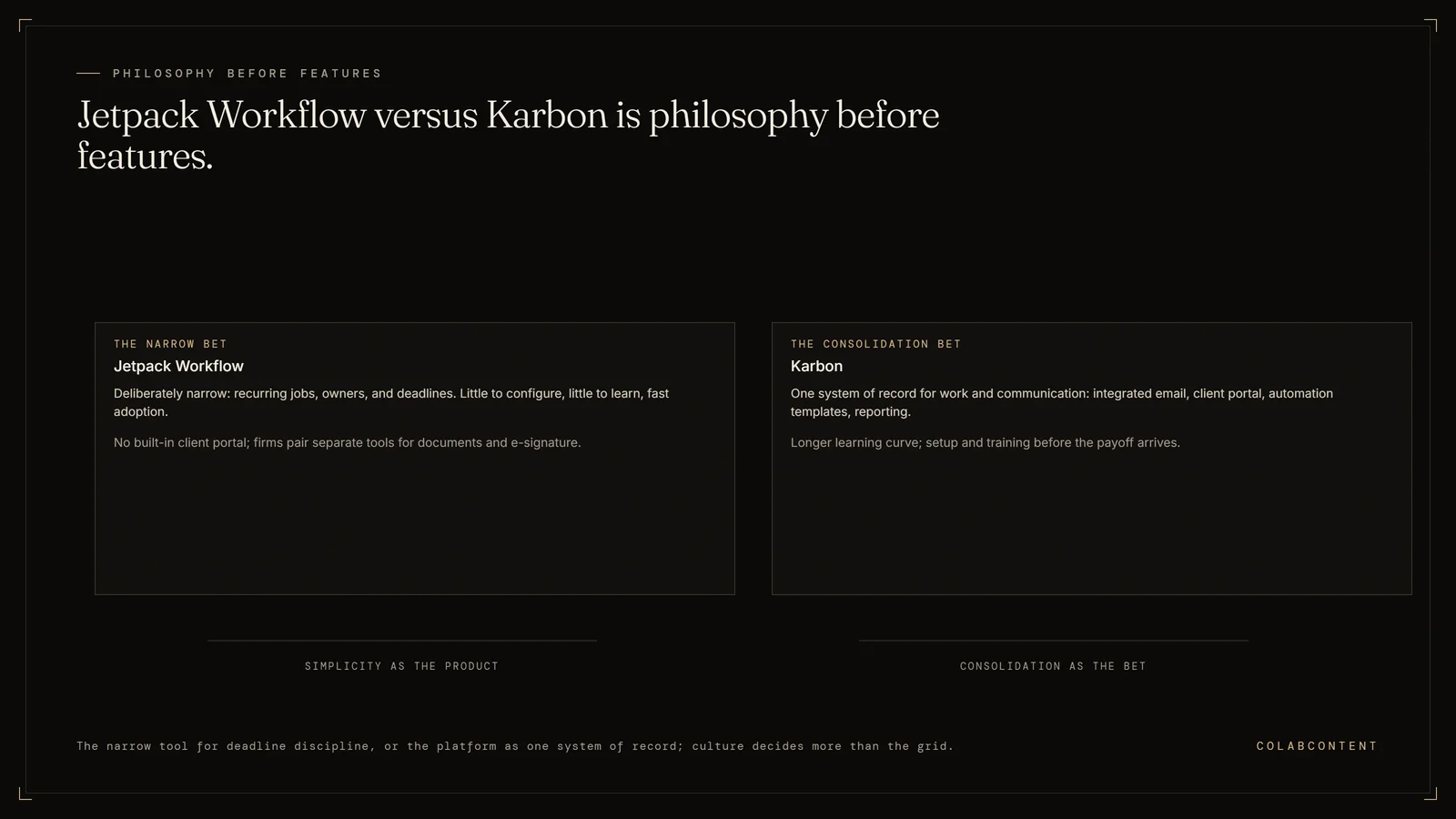
The clearest way to understand this comparison is philosophy, not features. Jetpack Workflow is deliberately narrow. It gives your team a clear view of recurring engagements, who owns each job, and what is due this week. That narrowness is the product. Firms adopt it because there is little to configure and little to learn.
Karbon takes the opposite bet. It assumes your firm wants a single system of record (the one system that holds the official copy of a record) for work and communication, so it pulls email, tasks, client collaboration, time, and billing into one platform. Karbon's own comparison page cites 4.8 stars on G2.com and a 98% service satisfaction rating, and its marketing leans heavily on the value of consolidation. The tradeoff is that an all-in-one platform demands more setup, more training, and more organizational commitment before the payoff arrives. The build, buy, or commission framework covers the same tradeoff pattern for a custom system.
Workflow management capabilities
Both platforms handle the basics: job lists, task assignment, recurring engagements, and templates. The differences show up at the edges.
- Jetpack Workflow keeps workflow simple. You set up recurring jobs, assign owners, and track status against deadlines. It is internally focused, which suits firms whose main pain is missed due dates rather than scattered communication.
- Karbon ties email directly into workflow, so a client email can become a task inside a job. It ships with a large library of accounting-specific templates and supports automation that moves work forward as statuses change.
If your firm's bottleneck is remembering what is due, Jetpack Workflow covers it. If the bottleneck is work scattered across inboxes, spreadsheets, and chat threads, Karbon's integrated model addresses a problem Jetpack Workflow was never designed to solve. See Karbon AI vs a custom build.
Client collaboration and the client portal gap
Client management in practice management software is not lead tracking. It is the day-to-day exchange of requests, documents, approvals, and reminders that surrounds every engagement.
Karbon includes a full client portal. Clients can upload documents, approve items, sign forms, and track progress, and all of it links back to the jobs your team is working on. Client tasks with automatic reminders reduce the chasing that eats staff time during busy season.
Jetpack Workflow is more internally focused. It does not include a built-in client portal, so firms using it typically keep a separate system for file sharing and e-signatures. That is workable, but it means client communication lives outside the tool that tracks the work, and someone has to reconcile the two. The $499 AI-Ready Audit can size that cost.
Time tracking, billing, and reporting
Karbon positions itself as covering the full operational loop: time tracking and budgets, invoicing and payments, and built-in reporting dashboards that show where jobs and capacity stand. Karbon also claims, on its own comparison page, that on average it saves every employee 18.5 hours each week; treat vendor-published figures as marketing claims and validate them against your own workflows during a trial.
Jetpack Workflow's reporting is oriented around job status and deadlines rather than firm-wide profitability analysis. For a small firm that bills fixed fees and runs payroll and invoicing elsewhere, that can be entirely sufficient. For a firm trying to understand realization, capacity, and client profitability inside one system, Karbon's broader data model is the stronger fit. See ColabContent's own fee bands for comparison.
The real cost of practice management software
Neither vendor's list price tells the whole story, so evaluate total cost across three categories:
- Subscription cost. Per-seat pricing compounds as headcount grows, and the broader platform carries the higher per-seat rate. Read on each vendor's own pricing page on 23 September 2026: Jetpack Workflow is $40 per user a month on Starter and $50 on Premium, both billed annually ($49 and $59 billed monthly). Karbon is $59 per user a month on Team and $89 on Business, both paid annually ($79 and $99 paid monthly). Published tiers change, so confirm both before you sign.
- Gap-filling tools. Jetpack Workflow firms often pay separately for a client portal, e-signature, and document sharing. Add those subscriptions to the comparison before concluding it is the cheaper option.
- Implementation and training time. Karbon's depth requires migration, template building, and team onboarding. Partner hours spent on setup are a real cost even though they never appear on an invoice.
The honest math is rarely about which subscription is cheaper. It is about which total system, including the tools around it, costs less to run for the way your firm actually operates. See Karbon alternatives for the same math elsewhere.
The learning curve dramatically affects your ROI
Software that your team does not fully adopt returns nothing, regardless of its feature list. Jetpack Workflow's learning curve is short. Most teams can be productive quickly because the tool does one thing and the interface reflects that. Karbon's learning curve is longer. Integrated email changes how people work day to day, and templates, automations, and client tasks all need configuration before they deliver value.
This is where firm culture matters more than the feature comparison. A firm with a champion partner and appetite for process change can absorb Karbon and come out ahead. A firm that struggled to adopt its last tool will likely get more real-world value from Jetpack Workflow's smaller footprint, even if Karbon wins on paper. See the AI maturity assessment.
Which platform scales with your firm?
Scaling pressure exposes the limits of both tools in different ways. Jetpack Workflow can start to strain as headcount and service lines grow, because coordination increasingly happens outside the tool: client communication, document collection, and firm-level reporting all live elsewhere. Karbon scales further as a platform, but growing firms often find that its workflows are still generic. The system tracks the work; it does not do the work, and it does not encode the specific judgment your senior staff apply to every engagement.
That distinction matters for mid-market firms, because the next constraint after "we can see all our work" is usually "our people spend too many hours on repetitive parts of that work." Practice management software surfaces the problem. It rarely solves it. The $499 AI-Ready Audit names those hours.
Where a custom AI build fits into this decision
For most small firms, the honest answer is to pick one of these two tools and move on. But mid-market firms evaluating Karbon often discover their real goal is not better task tracking; it is removing manual effort from client communication, document handling, and recurring engagement work. That is an automation problem, not a practice management problem, and it is worth separating the two before committing to a multi-year platform.
ColabContent has written about this boundary in detail. See how Karbon AI compares to a custom AI build, the broader review of Karbon alternatives for mid-market CPA firms, and the framework for deciding between off-the-shelf AI and a custom commission. Firms weighing a three-way decision may also want the Accelamos vs Karbon vs custom build comparison and the build, buy, or commission framework.
How to run the evaluation so it produces a decision
Most firms evaluate practice management software by watching a sales demo, opening a trial account, clicking around for an afternoon, and then deciding on feel. That process reliably favors whichever product demos better, which is not the same thing as the product that will run your firm better. A useful evaluation takes the same three engagements through both tools: one recurring bookkeeping client with a monthly close, one engagement with heavy client back-and-forth, and the messiest client the firm is willing to look at honestly.
Measure four things while you do it. First, setup time: how long it takes to build the recurring job, its template, and its deadlines starting from a blank account. Second, the Friday question: how long it takes a staff member who did not set the system up to answer "what is due this week and who owns it." Third, where client documents land, and how many steps it takes to connect them to the job they belong to. Fourth, what falls through when a deadline moves, because rescheduling is where workflow tools quietly break.
Then ask both vendors the same questions in writing before committing: what template rebuilding will cost in staff hours at your job count, whether historical email and client records can be imported or only referenced, what the export path looks like if you leave in three years, and what the per-seat price becomes at renewal rather than in year one. The answers matter more than the feature grid, because every cost described in the sections above arrives through one of those four doors. See ColabContent's commission process.
Frequently Asked Questions
Short answers first, detail underneath. Every answer here matches the FAQ schema on this page word for word, and each one is the answer we give on the audit call. Where a question depends on your own numbers, the $499 AI-Ready Audit report replaces the general answer with your figures.
Karbon vs Jetpack Workflow: what does each actually cost?
On list price Jetpack Workflow is the cheaper of the two at every published tier. Reading each vendor's own pricing page on 23 September 2026, Jetpack Workflow charges $40 per user a month on Starter and $50 on Premium, both billed annually, while Karbon charges $59 per user a month on Team and $89 on Business, both paid annually. For a 25 person firm on annual billing that is $12,000 a year on Jetpack Starter and $15,000 on Jetpack Premium, against $17,700 on Karbon Team and $26,700 on Karbon Business, so Karbon Team runs $5,700 a year more than Jetpack Starter at that headcount. List price is not the whole cost, because Jetpack firms often buy a client portal, e-signature and document sharing separately, and Karbon's migration and template build consume partner hours that never appear on an invoice. The fuller pricing picture across seven Karbon competitors is in our Karbon alternatives price comparison.
Is Jetpack Workflow or Karbon better for a small accounting firm?
For a small firm whose main pain is recurring jobs and deadlines slipping, Jetpack Workflow is usually the better fit, and its simplicity is the reason rather than a limitation. Karbon becomes the better answer when the firm wants one system of record (the one system that holds the official copy of a record) for work and communication together and has the capacity to invest in migration, template building, and training. Firm culture tends to decide this more than the feature list does.
Do Jetpack Workflow and Karbon replace QuickBooks or Xero?
No. Neither one is a general ledger. Jetpack Workflow and Karbon are practice management tools that sit on top of the ledger and organize the firm's work, while QuickBooks Online, Xero, and NetSuite record the transactions. A firm runs one of each rather than choosing between them.
Is Karbon a CRM system?
Not in the traditional sales sense. Karbon includes CRM-style client management features such as contact records and communication history tied to work items, but it is built as accounting practice management software rather than a sales pipeline tool. Firms that need lead tracking and marketing automation typically pair Karbon with a dedicated CRM (customer relationship management software).
Can a firm move from Jetpack Workflow to Karbon later?
Yes, and firms regularly do as they grow, but the cost of the move is rarely the subscription. It is the migration itself: rebuilding recurring workflows as templates, moving client communication into an integrated inbox, and retraining a team that had settled into a simpler tool. That switching cost is worth weighing at the first decision rather than at the second.
When does a CPA firm need a custom AI build instead of either platform?
When the constraint has stopped being visibility into the work and has become the hours the work itself consumes. Practice management software surfaces that problem accurately; it does not remove the repetitive parts of client communication, document handling, and recurring engagement work, and it does not encode the judgment senior staff apply to each engagement. That is an automation question, and it is worth separating from the platform decision rather than expecting one purchase to answer both.
Who owns the code if a firm commissions a custom build instead of using Jetpack Workflow or Karbon?
The firm does. ColabContent delivers full source code and an architecture document at handoff, so the system runs under the firm's own control rather than a vendor subscription. That is separate from either platform's license, since a commissioned system can sit on top of whichever one the firm keeps.
Jetpack Workflow vs Karbon: which should you choose?
Choose Jetpack Workflow if you run a small firm, your main pain is deadline tracking, and you are comfortable keeping client communication and document sharing in separate tools. Its simplicity is a feature, and adoption risk is low.
Choose Karbon if you want one system of record for work and communication, you have the capacity to invest in setup and training, and consolidation of email, client tasks, time, and billing would remove real friction from your firm.
And if the underlying goal is reducing the hours your team spends on repetitive engagement work, evaluate that as a separate decision; ColabContent holds a 5.0 rating on Clutch. ColabContent's vendor comparison library covers how mid-market operators weigh platforms against custom automation before signing a multi-year contract.
If you want to test that question against your own firm before committing to a multi-year platform contract, our work with CPA firms covers what mid-market accounting firms commission most often, the AI maturity assessment is a self-serve way to see where your firm sits today, and our pricing and process pages explain how a commissioned build is scoped, priced, and handed over with the code. If it is easier to just ask, talk to us directly.
Next step
Start with the $499 audit. Bring the firm's engagement mix, the practice management platform, and the workflow where staff hours leak most visibly. The call identifies whether a custom build, an existing product, or a process change addresses the constraint. The call is part of the audit; no obligation after it. The audit is refunded in full if it does not deliver value.