CCH Axcess API documentation: where it lives, how auth works, and what it lets you automate.
The CCH Axcess API documentation lives on Wolters Kluwer's developer portal at developers.cchaxcess.com, which you sign into with your CCH Axcess credentials to browse the Open Integration Platform catalogue, try calls interactively, and request keys. It is behind a login, which is why searching the open web for it returns product pages rather than specifications.
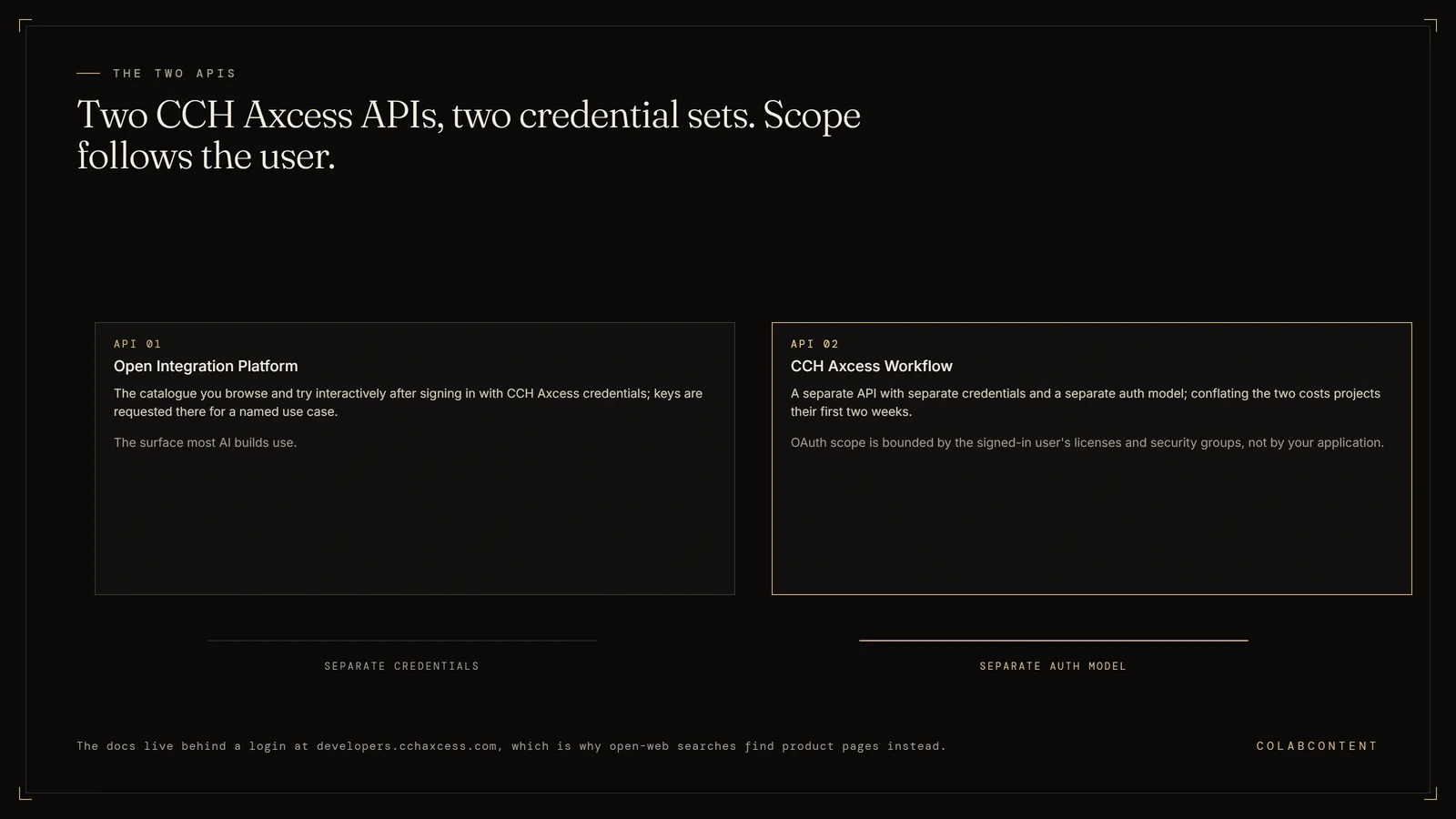
Two things surprise most firms on first contact: the Open Integration Platform and CCH Axcess Workflow are separate APIs with separate credentials and separate auth models, and the OAuth (the standard sign-in handshake between two systems) scope that carries your data access is bounded by the signed-in user's licenses and security groups rather than by your application. ColabContent is a Boston commissioning house that builds this integration on a fixed fee, from $10,000, with the firm owning the code at handoff; the $499 AI-Ready Audit is ordered at colabcontent.com/ai-ready-audit/. After the $499 AI-Ready Audit, the system that matters most is proven as a working prototype on your own data before any build fee is due. This is not the right path for solo practitioners (SaaS economics win), firms whose only need is tax prep automation (Lacerte and UltraTax add-ons cover that), or firms without a named workflow constraint worth $10,000 or more in annual leakage.
A scoping reference for mid-market CPA firms (30 to 150 professionals) and the people who build for them. What the API surface actually exposes, the authentication and rate-limit constraints that decide a timeline, and the AI automation patterns that are worth commissioning once the connection exists.
Key Terms
Client portal integration: connecting document exchange, e-signatures, and status updates with the firm's practice management system so clients and staff share one source of truth. Deadline management: tracking filing dates, extension deadlines, and review milestones across hundreds of simultaneous engagements; the operational bottleneck where missed dates create the most expensive failures. Knowledge extraction: mining prior-year workpapers (the working files behind a tax return or audit), memos, and engagement files to surface relevant precedent and decisions for current engagements. Workpaper automation: using AI to prepare, cross-reference, and review audit and tax workpapers against source documents; the workflow where mid-market firms see the fastest time savings per engagement.
The questions below cover where is the CCH Axcess API documentation, how do I authenticate to the CCH Axcess API and what OAuth scopes does the CCH Axcess Open Integration Platform use.
What the numbers say and where each path fits.
If you are reading this because you typed "CCH Axcess API documentation" into a search box and got marketing pages, here is the map. The documentation is real, it is reasonably complete, and it is gated behind developers.cchaxcess.com. Sign in with the CCH Axcess credentials you already have. You get an API catalogue, interactive try-it-out tooling, working code samples, and a path to request keys. What you should not assume you get is a safe place to practise: the portal's Try it button runs as the user you signed in with, against real data.
What the public pages do not tell you, and what costs projects their first two weeks, is that "the CCH Axcess API" is not one thing. The Open Integration Platform is one API family with OAuth (the standard sign-in handshake between two systems) 2.0 authentication. CCH Axcess Workflow ships a separate REST API with its own key and its own token model. If your automation touches both project routing and tax data, you are integrating with two systems, not one, and the credential requests are separate requests with separate owners.
The rest of this page is the detail: the surfaces, the auth mechanics, the constraints that actually bite, and the honest boundary between what Wolters Kluwer's own AI now ships and what still has to be built.
Four things people call "the CCH Axcess API."
Authentication is OAuth 2.0. The authorization server is at login.cchaxcess.com and the resource server at api.cchaxcess.com.OAuth 2.0Read + write
Two versions exist. V2 is the current one and is the one to build against. Endpoint groups cover Workstream (project information, project status updates, projects by client and by staff) and Staff (personnel records, roles, signers, team assignments).API key24h token
Wolters Kluwer's Workflow API documentation refers to a sandbox environment alongside production. We have not been able to confirm an equivalent non-production environment for the Open Integration Platform from public documentation, so treat it as a question for your account team rather than an assumption. If no non-production target exists on your license, the first build stays read-only. There is no version of this project where an unproven write path meets a live return during filing season.GatedAxcess login
People search "cch axcess ai" and land on this. It matters for build-versus-buy, but you do not integrate with it. You either license it or you do not. The build-versus-license line for each of these four is worked through in more depth in the companion CCH Axcess AI workflow playbook.ProductNot an endpoint
The constraints that decide your timeline.
The timeline on a CCH Axcess commission is set less by the code and more by three things: how clean the source data is, how many approval steps the workflow requires, and how much of the firm's own review capacity is available during the build.
Authentication, in the order you will hit it.
Register the application first. Registration is what produces the OAuth 2.0 client ID and client secret that everything else depends on, and it is a request rather than a self-serve form, so it goes in before the engineering starts. Firms that treat this as a day-one task instead of a week-minus-two task lose the difference off the far end of the schedule.
Wolters Kluwer recommends the authorization code flow over implicit, on the standard grounds that it is more secure. Take the recommendation. There is no reason to build a new integration on implicit in 2026, and the refresh-token behaviour you will need later only exists on the authorization code path.
One detail that catches developers on the first afternoon: localhost is blocked as a redirect URL, deliberately, for security reasons. The usual local-development loopback shortcut does not work here. Wolters Kluwer's own guidance is to configure the reply URL as a valid IP address or a real resolvable host instead. Stand that up before anyone writes the first auth handler. This is a fifteen-minute problem if you know about it in advance and a lost afternoon if you do not.
Scopes, and why the user matters more than the app.
The scope that carries the payload is CCHAxcess_data_writeaccess. It permits the application to read or write CCH Axcess data as determined by the authorizing user's licenses and membership in security groups. Read that clause twice, because it is the single most consequential sentence in the whole auth model.
Your integration does not get its own permission envelope. It inherits one. Whatever the authorizing user can see and change, the integration can see and change, and nothing beyond it. That is good security design and it has two practical consequences for a build.
First, the identity you authorize with is an architectural decision, not an admin detail. Authorize as a partner with sweeping rights and every automated action carries sweeping rights. Authorize as a narrowly scoped service identity and the blast radius of a bug is bounded by construction. We default to the narrow identity and widen only where a workflow provably requires it.
Second, permissions drift. Security group membership changes as staff move between teams and seasons. An integration that worked in May can start returning empty result sets in September because someone reorganised a group, and it will not look like a permissions problem from the logs. Instrument for it: assert the expected scope of visibility on every scheduled run and alert on a shrink.
The supporting scopes are smaller. CCHAxcess_Profile puts name and email into the ID token. IDInfo returns the ID token itself, which you need for logout. offline_access returns the refresh token. openid supplies the sub claim. Omit offline_access and you have quietly built an integration that cannot run unattended, which is usually discovered late.
Unattended operation and the first-run problem.
Most of the automation worth building is scheduled. Nightly document sweeps, status rollups the morning of a partner meeting, a sync that runs while the office is empty. The platform supports this, but not in the way a service-to-service integration usually works.
Initial authentication requires interaction in a user interface. A person signs in, once. After that the application stores the tokens securely and refreshes them silently, and scheduled data sync and service account patterns work normally, provided each refresh completes before the refresh token expires. Refresh is a POST to the CCH Axcess authorization token endpoint, path /ps/auth/v1.0/core/connect/token, carrying the same authorization header. One caution: Wolters Kluwer's own knowledge base articles cite that path under both login.cchaxcess.com and api.cchaxcess.com depending on which article you land on. Read the host off the developer portal for your firm rather than hardcoding one you found in a search result.
The failure mode is specific and worth designing against explicitly. If the refresh window is ever missed, because the host was down for maintenance, or the job was paused over a holiday weekend, or a deployment cleared the token store, the chain breaks and cannot repair itself. It needs a human back in a browser. Nothing errors loudly. The scheduled job simply stops producing, and if nobody is watching the output closely, a firm can go a fortnight before noticing that the document classification queue has been empty rather than clear.
So: monitor refresh success as a first-class signal, alert a named human on the first failure rather than the third, and write the re-authorization runbook (the written operating instructions) during the build while the person who understands it is still on the project.
Rate limits and the backfill trap.
The API is rate limited. When calls come too fast you get 429 Too Many Requests, and the response carries a RETRY-AFTER header stating how many seconds to wait before submitting again. Wolters Kluwer's guidance is to inspect that header and honour it, which is also just correct HTTP client behaviour.
Steady-state traffic rarely trips this. The initial backfill almost always does. Every useful AI workflow on this platform wants history: three prior years of binders to learn a firm's document conventions, prior-year returns to compare against, a full client master to resolve entities. That is a large sequential read against an API that is not designed to be hosed, and a naive loop will spend its first hour getting throttled and its second hour getting throttled harder.
Treat the backfill as its own piece of engineering. Throttled, resumable, checkpointed, and scheduled for a window when nobody is filing. Budget days for it rather than hours.
Rate limits are also testable in advance, which most teams do not realise. Every CCH Axcess API license includes an All APIs, Limited Use subscription, whose stated purpose is researching APIs outside your license and simulating API throttling. Use it to prove the retry and back-off path deliberately, rather than discovering the shape of the limit halfway through a production backfill.
The Workflow API is a second integration, not a second endpoint.
This is the mistake we see most often in scoping documents written by people who have not built on Axcess before. A statement of work says "integrate with the CCH Axcess API" and budgets one authentication path, one credential request, one set of error handling. Then week two arrives and the project discovers that routing work through Workflow means a completely different mechanism.
CCH Axcess Workflow has its own REST API and its own API key, which is provided by the Workflow integration team or purchased through a sales representative. The key goes in the header of every request. To open a session you call the authenticate/user endpoint with the API key in the header and a valid Workflow username and password in the JSON body, and you get back a token valid for 24 hours. No OAuth, no refresh token, a different expiry model entirely.
Two versions are in the field. V1 requires the generated token to be supplied in a Securitytoken field on every call. V2 is the current and recommended version. Build against V2. Swagger documentation covers the endpoints in detail.
Functionally the Workflow API splits into POST endpoints that update or search, and GET endpoints that retrieve. The groups that matter for automation are Workstream, which exposes basic project information plus the ability to update project statuses and pull projects by client and by staff, and Staff, which lets a firm manage and synchronise personnel records including contact details, roles, signers and team assignments.
Practical consequence for planning: two credential requests, two approval chains, two owners inside the firm, and two sets of expiry behaviour to monitor. Put both requests in on the same day. The approvals, not the code, are what determine whether a build lands before extension season.
Before committing to a build on this workflow, the $499 AI-Ready Audit is the cheaper way to confirm the fit against your own systems and data first.
The automation patterns actually worth building.
Once the connection exists, the question becomes what deserves to run through it. The filter we apply is simple and it eliminates most ideas: the work has to be repetitive, the inputs have to already be structured, and a human has to stay in the approval seat. Anything failing one of those three is a research project, not a commission.
Prepared-by-client request and receipt. The perennial first build, because the pain is measurable and the data is already in the system. Read the prior-year return to derive the expected document list, generate a client-specific request, watch for arrivals, classify each document against the engagement and form type, and escalate to a human only on a material gap or a genuine ambiguity. The value is not the classification. It is that nobody spends January reconstructing who still owes a K-1.
Status reporting partners currently ask for by email. The Workflow API exposes project status by client and by staff. That is a scheduled query and a rendered summary, not an AI problem, and it is frequently the cheapest thing on the list to build and the fastest to get adopted. Start here if the firm has no appetite for a large first commitment.
Workpaper tie-out and review flags. Read the return and its workpapers, compare line by line against prior year and against the firm's own checklist, and surface a reviewer-facing queue of variance-threshold breaches, missing reconciliations, and carryforward mismatches. It does not modify the return. It shortens the distance between preparer and reviewer, and it encodes the checklist that currently lives in one senior person's head.
Entity resolution across systems. Unglamorous and consistently valuable. The client master in Axcess, the records in the general ledger platform, and the contacts in the CRM (customer relationship management software) disagree with each other at every firm we have looked at. A reconciliation pass that reads all three and produces a ranked list of probable duplicates and mismatches pays for itself in the first quarter and makes every subsequent automation more reliable.
What we would not build: a general chatbot pointed at firm data. It demos beautifully, it gets used for a fortnight, and it produces no measurable change in a season. The leverage on this platform is in the workflow, not the interface.
Build versus license, given what Expert AI now ships.
The honest version of this conversation has changed since 2024, and any consultant telling a firm otherwise is selling. Wolters Kluwer launched Expert AI in October 2025 across tax, audit and firm management, and it has shipped steadily since: AI-driven scheduling recommendations in Workflow in May 2026, and a June 2026 expansion aimed at low-touch tax preparation through Scan and K-1 automation. Scan classifies and extracts from source documents including W-2s, 1099s and K-1s. Client Collaboration handles intake and document exchange. Agentic Audit works on audit documentation.
If a workflow on your list is squarely inside that description, license it. Building a private competitor to a vendor's core roadmap item is the most reliable way to waste a hundred thousand dollars, because the vendor will ship it, ship it integrated, and ship it maintained.
The practical instruction is narrower than it sounds: ask your account team what is generally available on your license today, not what has been announced. Announcement and availability are different dates in this category, and the gap between them is where a great deal of wasted planning happens.
What no vendor will ship is the part that is specific to you. Your binder conventions. Your tie-out checklist and the eleven exceptions your review partner has been carrying since 2019. Your prior-year exception patterns. The way your firm decides which clients get an advisory touch in August. That logic is not in Wolters Kluwer's roadmap because it is not in anyone's roadmap but yours, and it is the only part that is genuinely worth commissioning.
The clean split we use in scoping calls: if a reasonable competitor firm would want the identical feature, wait for the vendor. If the feature only makes sense because of how your firm specifically operates, build it.
Reference, stated plainly.
We do not have a nameable CPA reference on CCH Axcess, and we would rather say so than imply one. Here is what we can actually point at.
Our nameable client is Jim Glaser Law, where five channel-specific voice agents covering PPC, Organic, TV, Meta and LSA have handled 3,787 calls and 5,514 minutes, giving the firm per-channel attribution on answered calls. Jimmy will take a reference call. Across all clients we have handled at least 6,000 live calls.
The closest structural analogue to a tax-production build is an anonymized law firm whose matter, invoice and IOLTA (the client trust account a law firm must keep separate) trust operation runs on a platform we commissioned: 13,296 matters, 4,396 clients, 5,684 invoices, with trust reconciled byte-identical. That is a system-of-record integration under regulatory constraint, which is the same shape of problem as tax production even though the domain differs. Also in the set: a multi-location home services operator (1,486 AI-handled calls, 2,203 minutes), a regional 3PL and warehousing operator (211 calls), a realty firm (148 calls), and two marketing agencies that outsource their AI fulfilment to us.
If a CPA-firm reference on Axcess specifically is a requirement for you, we are not currently the right firm, and we will say that on the call rather than after the engagement letter.
How to scope the project, in order.
Week minus two. Submit both credential requests, Open Integration Platform and Workflow, on the same day. Name the use case precisely; vague requests move slower. Confirm with your account team what Expert AI is enabled on your current license, so the build scope does not overlap something you already pay for.
Week one. Portal access, catalogue review, confirmation of whether any non-production environment is available on the license, and a written list of exactly which entities the workflow needs to read and which it needs to write. This is where a project either gets small and shippable or stays large and theoretical. Pick one workflow. One shipped beats four in progress, and it is not close.
Days seven to ten. A working prototype demonstrating the actual workflow end to end with a human in the approval seat, read-only against the firm's real data unless a non-production environment has been confirmed. If the prototype cannot be built in ten days, the scope is wrong and it is cheaper to learn that now.
Weeks two to six. Production build. Throttled backfill, retry and back-off logic proven against simulated rate limits, refresh monitoring wired to a named human, runbook written. Human review on every AI output at go-live, relaxing to spot-check only after the firm has watched output quality hold for sixty to ninety days.
Calendar discipline. We do not start CPA engagements between February 1 and April 15. Partners have no cycles to give a build during season, which makes us useless to them and the project worse. Scoped in May, ships by July. Scoped in August, ships before October extension. Scoped in November, ships in January ahead of the next season.
Commercials. Fixed fee, stated before the build, from $10,000 depending on integration depth and workflow complexity. The system runs inside the firm's own tenant (a private cloud account). The firm owns the integration code, the prompts, the model selection and the data pipeline at handoff, which means the second workflow is an internal project rather than another purchase.
What developers and firm administrators ask about the CCH Axcess API.
These are the questions developers and firm administrators raise most often once they start scoping direct access to the CCH Axcess API, starting with whether Wolters Kluwer grants that access at all, and what a firm has to sign before it does.
Where is the CCH Axcess API documentation?
On Wolters Kluwer's developer portal at developers.cchaxcess.com. You sign in with your CCH Axcess credentials, browse the Open Integration Platform API catalogue, try calls interactively, and request keys. Endpoint-level detail sits behind that login rather than on the public marketing pages, which is why a general web search returns product pages instead of specifications. Wolters Kluwer publishes separate Swagger documentation for the CCH Axcess Workflow REST API.
How do I authenticate to the CCH Axcess API?
The Open Integration Platform uses OAuth 2.0 token authentication. You register your application to get a client ID and client secret, authenticate against login.cchaxcess.com, and call the resource server at api.cchaxcess.com. Wolters Kluwer recommends the authorization code flow over implicit because it is more secure. Localhost is blocked as a redirect URL, so plan a real callback host even for development.
What OAuth scopes does the CCH Axcess Open Integration Platform use?
The load-bearing one is CCHAxcess_data_writeaccess, which grants read or write access bounded by the signed-in user's licenses and security group membership. CCHAxcess_Profile adds name and email to the ID token, IDInfo returns the ID token used for logout, offline_access returns a refresh token, and openid supplies the sub claim. The important detail for scoping is that the data scope is bounded by the user, not by your application.
Is the CCH Axcess Workflow API the same as the Open Integration Platform API?
No, and assuming they are the same is the most common scoping mistake on this platform. CCH Axcess Workflow has its own REST API with its own API key, obtained from the Workflow integration team or purchased through a sales representative. You authenticate by posting a Workflow username and password to an authenticate/user endpoint with the API key in the header, and the token that comes back is valid for 24 hours. Version 2 is the current version.
Why am I getting a 429 error from the CCH Axcess API?
You have exceeded the rate limit. The documented behaviour is a 429 Too Many Requests response carrying a RETRY-AFTER header that tells you how many seconds to wait before submitting the request again. A production integration has to read that header and back off rather than retry immediately. Bulk historical pulls are where firms hit this, so plan the initial backfill as a throttled job rather than a loop.
Is there a CCH Axcess API sandbox or test environment?
Wolters Kluwer's CCH Axcess Workflow API documentation refers to a sandbox environment alongside production. We have not found public confirmation of an equivalent non-production environment for the Open Integration Platform, so ask your account team directly rather than assuming one exists. This matters because the developer portal's Try it button executes calls using the identity you signed in with, against real data. Until a non-production target is confirmed, keep the first build read-only.
Can a CCH Axcess integration run unattended on a schedule?
Yes, with one caveat that reshapes project plans. Initial authentication requires a person in a browser, so a completely headless first run is not possible. After that the application stores the tokens and silently refreshes them, which supports scheduled sync and service account patterns as long as each refresh completes before the refresh token expires. Build a monitored alert on refresh failure, because a silent expiry looks exactly like a working integration that has quietly stopped.
What does CCH Axcess Expert AI already cover, and what still needs the API?
Expert AI launched in October 2025 across several modules, including Scan for classifying and extracting data from documents such as W-2s, 1099s and K-1s, Client Collaboration for intake and document exchange, Workflow for AI-driven scheduling and routing, Advisor, and Agentic Audit. Ask your account team what is enabled on your license today rather than what was announced. What it will not encode is your firm's own logic: your binder conventions, your tie-out checklists, your prior-year exception patterns.
How long does a CCH Axcess API integration take to scope and build?
Credential approval sits in front of everything, so the access request goes in first and the scope is drawn around whatever Wolters Kluwer approves. Once access exists, a working prototype against the firm's real data takes 7 to 10 days and a production build for one scoped workflow takes 4 to 6 weeks. The fee is fixed and stated before the build, and the firm owns the integration code, the prompts, the model selection and the data pipeline at handoff.
How much does a custom CCH Axcess integration cost, and what if it does not perform as scoped?
Fixed fee from $10,000, set after the $499 AI-Ready Audit and after the two credential requests confirm what the license actually exposes. The scoping document written before that fee is set names every entity the workflow reads and writes against your own catalogue, checked, not guessed, so a mismatch between what was scoped and what the API allows surfaces before any build fee is owed rather than after.
What does the firm own at handoff, what is expected of us during the build, and does this replace staff?
The firm owns the integration code, the prompts, the model selection and the data pipeline at handoff, running inside the firm's own tenant, with no renewal and no dependency on us afterward. During the build we need a named point of contact who can approve scope and submit the two credential requests, and time from one or two people to review the working prototype. It does not replace review staff: every automation pattern on this page keeps a human in the approval seat, so the effect is fewer hours on repetitive matching and chasing, not a smaller review team.
Start with the $499 audit.
Bring your CCH Axcess setup and the workflow you want automated. We will tell you whether it needs a build, a license, or nothing at all.
The questions below cover where is the CCH Axcess API documentation, how do I authenticate to the CCH Axcess API and what OAuth scopes does the CCH Axcess Open Integration Platform use.
Where to look next.
If you came here for the integration mechanics and now want the workflow argument, the companion piece is our CCH Axcess AI workflow playbook, which covers the prepared-by-client cycle, tie-out automation and advisory assembly in more depth than this page does. For firms weighing the platform decision itself rather than the integration, build, buy or commission is the framework we actually use on scoping calls, and what AI consulting costs a CPA firm sets out the numbers without a form in front of them.
Running more than one tax product is the norm, not the exception, and each has its own integration character. We keep separate notes on ProSystem fx, UltraTax CS, Lacerte and Sage Intacct. If practice management rather than tax production is the bottleneck, our read on Karbon AI covers that side of the stack. And if the licence itself is the problem rather than the workflow, CCH Axcess alternatives prices eight of them with sources and models the three and five year totals.
Before you commission anything, two pieces are worth twenty minutes each. Data readiness explains why the backfill described above is usually the real project, and the security questions to ask before an AI build is the list we would want a firm to put to us, not just to other vendors. If you are writing this up formally, how to write an RFP for a custom AI build will save a round trip, and why code handoff matters explains what to insist on at the end.
Wider context for the vertical sits in the CPA firms industry brief, the guide to choosing an AI consultant for a CPA firm, and the 2026 CPA AI benchmark. Every other integration note we keep is indexed on the playbooks hub.