FieldEdge API documentation and integrations.
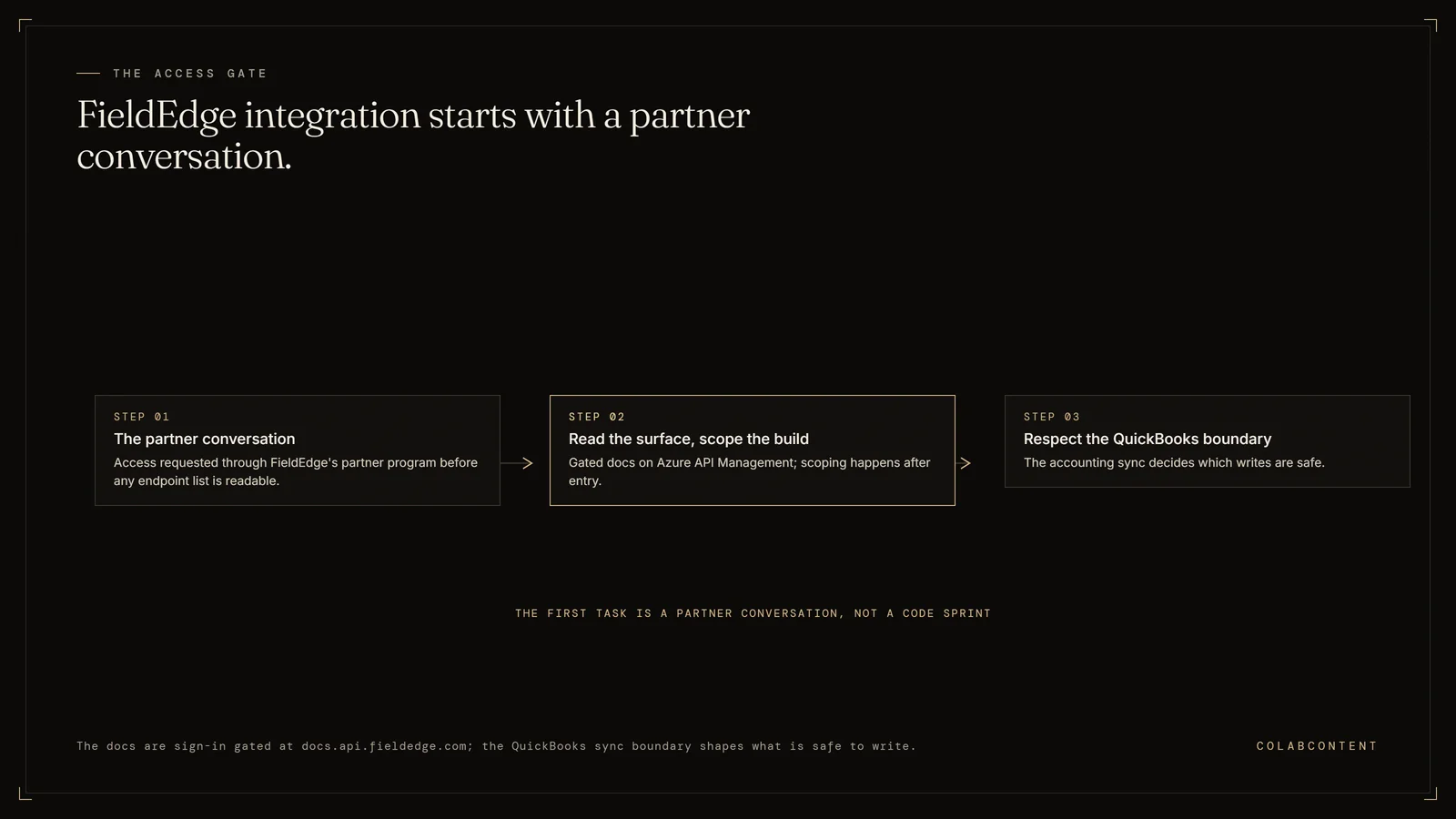
FieldEdge API documentation is not public: it lives at docs.api.fieldedge.com, a sign-in-gated developer portal running on Microsoft Azure API Management that FieldEdge describes as providing API access to its integrated partners. You request access through the partner program before you can read an endpoint list, which means the first task in any FieldEdge integration is a partner conversation, not a code sprint. Start with the $499 AI-Ready Audit.
This page covers what that gating actually means for scoping, what the integration surface realistically exposes, where the QuickBooks sync boundary bites, and which AI automation patterns are worth building on top for an HVAC, plumbing or electrical contractor. This is not the right path for single-location operators (SaaS, meaning software you rent by subscription, economics win), platforms whose only AI need is call routing (IVR products cover that), or platforms without a named dispatch or scheduling constraint worth automating.
Written for the person who typed "fieldedge api documentation" into Google because someone asked whether an AI layer can plug into the field-service platform the company already runs on. No pitch in the first thousand words. Just the shape of the integration surface and the constraints you will hit.
Key Terms
Revenue per technician: the key capacity metric for home services platforms; AI-driven scheduling increases this figure by reducing drive time and matching skills to job requirements. Membership conversion rate: the percentage of one-time service customers who enroll in a recurring maintenance plan; AI-timed follow-up sequences increase this rate. Average ticket value: the mean revenue per completed service call; AI-assisted diagnosis surfaces relevant add-on services the technician might not think to mention. CSR (customer service representative) handle time: the average duration of a customer service call from pickup to booking confirmation; AI pre-screening and data lookup cut this time significantly.
The questions below cover does FieldEdge have an API, where is the FieldEdge API documentation and how do I get FieldEdge API access.
The decision framework
The choice turns on three questions: (1) does the platform's dispatch and scheduling workflow match the patterns that existing FSM (field service management) AI (ServiceTitan Pro, Housecall Pro, FieldEdge) already automates, or does the platform carry multi-trade complexity those products cannot represent; (2) does the platform's data posture allow a SaaS (software you rent by subscription) vendor to process technician and customer data under its own agreements, or do franchise agreements require infrastructure the platform controls directly; (3) over a 24-month horizon, does a compounding per-location subscription cost less than a single fixed payment for a system the platform owns outright. If all three favor a product, the SaaS path is stronger. If any one favors a build, the gap is worth quantifying: the $499 AI-Ready Audit sizes it in dollars and weeks.
The questions below cover does FieldEdge have an API, where is the FieldEdge API documentation and how do I get FieldEdge API access.
What the numbers say and where each path fits.
There is a FieldEdge API. There is a FieldEdge developer portal. Neither of them is open to you today unless you are already an integration partner.
The portal at docs.api.fieldedge.com is the official one. It is a Microsoft Azure API Management developer portal, which tells you something about how the API is fronted, and it presents a sign-in wall with a short description of its purpose: providing API access to FieldEdge's integrated partners. Behind that wall is presumably a product list, an endpoint reference and a subscription-key issuer, because that is what an APIM developer portal is for. In front of it is a landing page and a login form.
That gating is the single most important fact for anyone scoping a build, and it is the fact that almost every third-party page about the FieldEdge API leaves out. Search results for the term are dominated by aggregator listings, review sites, and at least one detailed-looking "FieldEdge API" reference that states in its own text that it is a hypothetical design exercise and does not describe an existing FieldEdge product. If you scope a build against a speculative endpoint list, you will discover the mismatch in week three, after the contract is signed.
So the honest sequence is: establish the access path first, confirm the auth shape and the entity coverage second, then design the workflow. Everything below is organized in that order. The workflow-level companion to this page, covering the receptionist and dispatch builds themselves rather than the integration surface, is the FieldEdge AI integration playbook.
Six things to establish before you write a line of code.
What the FieldEdge API exposes, and what it costs you to find out.
This section covers what a developer actually gets access to once FieldEdge grants API credentials, and what it takes to get to that point, since the portal itself sits behind a partner sign-in rather than a public catalog, which is the first thing that trips up a developer new to this API, before they have even seen an endpoint list.
Where the documentation lives, and what the gate means in practice.
FieldEdge, now FieldEdge by Xplor after Xplor Technologies brought the field-services portfolio together, publishes its developer portal at docs.api.fieldedge.com. It is a Microsoft Azure API Management developer portal. The public face of it is a welcome page and a sign-in link, with a one-line statement of purpose: providing API access to FieldEdge's integrated partners.
Read that phrasing carefully, because it is the design of the program, not an accident of the website. FieldEdge is not running an open developer platform where anyone can create an account, read an OpenAPI spec, and start calling a sandbox. It is running a partner API. The gate is commercial before it is technical.
For an operator, the practical consequence is that the discovery phase of a FieldEdge integration has a calendar component you cannot compress with engineering effort. You can parallelize it: start the partner conversation while you do the workflow design and the data audit, so the access approval and the scoped spec arrive at roughly the same time. What you cannot do is treat access as a formality to handle in week two of a six-week build.
There is a second consequence that matters more than it sounds. Because the reference is gated, the internet has filled the vacuum with content that looks authoritative and is not. One widely-surfaced third-party "FieldEdge API" page presents sample endpoints such as a customers list and a work-order status patch, plus an entity model, then discloses in its own text that it is an independent design exercise and that nothing on the page describes an existing FieldEdge product. Aggregator directories list a "FieldEdge Dispatch and Scheduling API" with no verifiable reference behind it. A support article about adding an API key to a specific FieldEdge add-on is explicitly marked internal use. None of these are dishonest, exactly, but a technical buyer who reads them as documentation will build against fiction.
The rule we apply on our own engagements: nothing enters a scope document as a fact about the FieldEdge API unless we read it inside the partner portal or received it in writing from FieldEdge. Everything else goes in the assumptions section, and the assumptions section gets validated before the fixed fee is set. The workflow-level builds this surface supports are covered in the FieldEdge AI integration playbook.
Authentication: what an Azure API Management front end implies.
The fact that the portal is Azure API Management is genuinely informative, so it is worth being precise about what it does and does not tell you.
APIM sits in front of a backend and handles subscription management, key issuance, throttling policies, request transformation and analytics. Its native access-control primitive is the subscription key: a consumer subscribes to an API product, receives primary and secondary keys, and sends one on every request in a header. That is the default, and it is why so many APIM-fronted partner APIs feel like key-based APIs rather than OAuth (the standard sign-in handshake between two systems) APIs. APIM also supports validating OAuth 2.0 tokens and JWTs at the gateway, IP restrictions, and per-product rate and quota policies, and many vendors combine a subscription key for identifying the integration with a token for identifying the user or tenant.
What that means for your design. Plan for two independent concerns rather than one. First, integration identity: a credential that says which partner application is calling, almost certainly long-lived, almost certainly a header value, and something you must store in a secret manager rather than a config file. Second, tenant scope: how a single integration credential is scoped to one contractor's data, whether through a separate per-tenant credential, a tenant identifier on the request, or a user-level token. Get that second one wrong on a multi-brand platform and you build a system that can read across the roll-up (a group of businesses bought and combined by one owner)'s brands when it should not.
What it does not tell you. Whether FieldEdge issues keys per contractor or per partner. Whether there is a sandbox. What the quota policy is. Whether there is a rate limit you will hit on a nightly backfill of several years of job history. All of those are portal-and-conversation answers, and all of them change the shape of the sync architecture. We list them explicitly in the access request rather than discovering them under deadline.
The security review that should accompany any of this is the same one we run on every engagement, and the questions are set out in the security questions to ask before an AI build. Credential storage, tenant isolation and audit logging are not paperwork on a field-service integration. They are the difference between a system a private-equity-backed platform can keep and one its next diligence process makes it rip out.
The objects you will care about, and the read-write asymmetry.
Every field-service management system converges on roughly the same object model, because the business is the same: someone calls, you create a customer and a service location, you schedule a job against a technician's day, the technician does work against a price book, an estimate or invoice comes out the other end, and the money lands in the accounting system. FieldEdge is no exception, and its own product marketing names the pieces plainly enough: customers, service agreements, dispatch, work orders, invoicing, price book, inventory.
The thing to test, product by product, is not whether the object exists but whether the API's write coverage matches your workflow. Read coverage on a mature partner API is usually broad, because reads are safe. Write coverage is narrower and more opinionated, because a vendor with a large installed base of contractors has learned exactly which writes generate support tickets.
So build the object map as a grid, not a list. For each object, three columns: does the workflow need to read it, does the workflow need to write it, and is that write supported. The rows that are read-only in the API but write-required in your design are the rows that decide whether this is a four-week build or a twelve-week negotiation. There is usually a way through, typically by moving the write to a human action inside the FieldEdge UI that your system prepares rather than performs, but you want to find that out during scoping.
Data quality is the other half. The AI layer's output quality is bounded by the records it reads. On field-service platforms specifically, the recurring problems are duplicate customer records created by phone intake, service locations attached to the wrong customer after a move, equipment records that stopped being maintained three years ago, and free-text job notes that carry the actual diagnostic history while the structured fields carry almost nothing. None of that is unusual and none of it is disqualifying. It just has to be measured before the fee is fixed, which is the argument in data readiness for a mid-market AI build.
Events: assume polling until the portal proves otherwise.
We looked for FieldEdge webhook documentation and found none in public. That is not proof that no event surface exists behind the partner gate, and if you get access and find one, take it. But the engineering decision has to be made before you have access, and the safe decision is to design for polling.
Polling a field-service platform well is a real design problem, not a fallback. Three things make the difference between a sync that runs quietly for two years and one that generates a weekly incident.
Change detection. If the API exposes a modified-since filter, use it and store a high-water mark per object type with a deliberate overlap window, because clock skew and eventual consistency will otherwise drop records at the boundary. If it does not, you are diffing snapshots, and the cost of that scales with the size of the book. Measure it against the real record count before committing to an interval.
Interval by workflow, not one global setting. Inbound call handling needs to see the dispatch board within seconds, because the caller is on the line. Estimate-chase can run hourly. A weekly management report can pull overnight. Building a single sync loop at the tightest interval every workflow could conceivably need is how integrations get rate-limited into a support ticket. Tier it.
Backfill as a separate mode. The initial history load and the ongoing incremental sync are different programs with different rate profiles. Run the backfill deliberately, throttled, off-hours, resumable, and instrumented, and do not let it share a code path with the steady-state loop.
The same tiering logic applies whichever platform is underneath. It is the pattern we use on ServiceTitan and Housecall Pro builds too, and it is why a multi-brand roll-up (a group of businesses bought and combined by one owner) can end up with one AI layer over several different field-service systems rather than a forced migration to one.
The QuickBooks boundary is the sharpest constraint on the platform.
FieldEdge's relationship with QuickBooks is not a side feature. It is one of the reasons contractors choose the product, and FieldEdge markets it as a real-time, two-way integration and claims it is the only field-service solution offering one. Plenty of contractors are on FieldEdge specifically because they never left QuickBooks Desktop and are not going to.
Here is the part that matters to an integration engineer. For QuickBooks Desktop, the connection is not a cloud-to-cloud API relationship. It runs through a sync tool that the customer downloads from the add-ons screen inside FieldEdge and installs on a PC that has QuickBooks on it. That tool has to keep running for data to keep moving. If the machine is shut down, restarted, moved, replaced, or simply logged out by an office manager tidying up, the sync stops.
Three design consequences.
First, treat financial data as eventually consistent with a human-shaped failure mode. Any AI workflow that reads invoice or payment state needs to tolerate staleness and needs to fail visibly rather than silently when the picture stops updating. A revenue report that quietly stops advancing is worse than one that says it cannot see the data.
Second, do not put an AI layer in a position where it is the thing that has to be right about money. Read-and-suggest, with a human approving anything that changes a financial record, is the correct default here for reasons that have nothing to do with AI caution and everything to do with the topology of the sync.
Third, if you are a platform operator rolling up several brands, ask during diligence which office PC runs each brand's sync tool and who notices when it stops. That question has produced more useful information in our audit calls than any question about the AI itself. It is also the sort of thing the call and revenue leakage calculator tends to surface indirectly, because leaks in the money path and leaks in the call path usually share an owner.
Read the partner marketplace before you build anything.
FieldEdge's partner marketplace is public, and it lists dozens of companies across more than a dozen categories. The categories are the ones you would expect from a mature field-service ecosystem, and the named entries include accounting through QuickBooks, payments through FieldEdge Payments and Xplor Capital, GPS through FleetSharp, payroll and HR through ADP, live answering through Ruby, and reputation and messaging through Podium, alongside coaching and marketing-agency partners that are not integrations in the technical sense.
This list is the single most useful piece of free scoping intelligence available to you, for two opposite reasons.
It tells you what not to build. If a listed partner already covers your workflow, buy it. A supported integration with a vendor who fixes it when FieldEdge changes something is worth more than a bespoke equivalent you own and must maintain. We have told prospects to go buy a marketplace listing and end the conversation, and the reasoning is set out at more length in what we do not build.
It also tells you where the seams are. A marketplace of point solutions means the contractor ends up with an answering service that does not know the dispatch board, a reputation tool that does not know which job just closed, and a payroll system that does not know which technician sold the membership. Each partner solves its slice cleanly. Nobody owns the join. That join, the workflow that crosses three vendors and lands back in FieldEdge, is the honest case for a commissioned layer, and it is a much narrower case than most AI vendors selling into this market will admit.
What to put in the access request.
When you approach the partner program, a specific request moves faster than a vague one, and it also forces your own team to finish thinking. Ours contains seven items.
One, the named workflow in a sentence, in the contractor's language rather than the vendor's. Two, the objects to be read and the objects to be written, listed explicitly. Three, whether the write is automated or human-approved, with human-approved as the stated default. Four, the tenancy model: one contractor, or several brands under one operator. Five, the expected request volume at steady state and during initial backfill, with numbers. Six, where the system runs and who owns the credentials, which for us is always the operator's own cloud tenant. Seven, the contractor's own confirmation that they want this built, because the data belongs to them and the partner conversation goes better when they are in it.
If a consulting house cannot produce that document before asking you to sign, they have not scoped the integration. That is a general test, not a FieldEdge-specific one, and it is one of the criteria in how to choose an AI consultant for home services.
Five AI automation patterns worth building on a FieldEdge stack.
These are the five automation patterns ColabContent has actually shipped on top of a FieldEdge stack, in order of how often firms ask for them, from the cheapest to build to the one that takes the longest to earn trust, measured in how many production weeks it ran before the write step was turned on.
Pattern one: call intake that ends in a real booking.
This is the highest-value pattern in home services and the one we have the most evidence on, because the failure it addresses is not subtle. A homeowner with no heat calls three contractors. The one who answers gets the job. Everyone else gets a voicemail they return ninety minutes later to a booked customer.
The build: an AI voice agent answers on the numbers that ring nobody, identifies the caller against FieldEdge's customer and service-location records, captures the problem in the technician's vocabulary rather than a generic form, checks the dispatch board for genuine availability rather than offering a slot it cannot honor, and either books or hands to a human with the context already gathered. Every call produces a structured record whether or not it converts, which is the part operators underestimate.
What we have actually run. One multi-location home services operator we work with has handled 1,486 calls through an AI layer, totalling 2,203 minutes of live conversation. Across all our clients the number is more than 6,000 live calls handled. Those are counts of real calls answered, not projections, and we quote them rather than a percentage lift because a lift number that depends on the counterfactual is a number we cannot honestly stand behind.
The FieldEdge dependency here is the tight one: the agent needs near-real-time read of customers, service locations and the dispatch schedule while the caller is on the line, plus a booking write or a controlled handoff. This is the workflow that most needs you to have resolved the polling-interval question from the section above before you start. The receptionist and dispatch builds themselves, rather than the integration surface, are covered in the FieldEdge AI integration playbook.
Pattern two: dispatch triage that respects the board it did not build.
Dispatch is where field-service operators have the most institutional knowledge and the least of it written down. Which technician you send to a difficult customer. Which jobs can be stacked in one neighborhood. Which call is a two-hour diagnostic disguised as a thirty-minute service call. A dispatcher with eight years at the company holds all of that and holds it nowhere else.
The right build here is not autonomous dispatch. It is triage: the AI layer reads the incoming job, the customer's equipment and service history, the current board, and technician skill tagging, then proposes a ranked assignment with the reasoning stated in one line. The dispatcher accepts, overrides, or ignores. Every override is logged, and the overrides are the actual product, because six weeks of them is the first written version of the knowledge that used to live in one person's head.
This pattern is also the one that survives a dispatcher leaving, which is why platform operators tend to fund it. The wider version of the argument, aimed at private-equity-backed roll-ups running several brands, is in AI for PE-backed home services platforms.
Pattern three: follow-up on jobs that ended without a next step.
Read the job history of any contractor doing eight figures and you will find a category of job that closed with a technician note saying the customer should think about replacement, or that a part was on order, or that a second visit was needed, and then nothing happened. Nobody dropped the ball deliberately. The note was in a free-text field that no report queries.
The build is unglamorous and it works: scan completed jobs for language that implies an unresolved next step, cross-reference against whether a follow-up job or estimate actually exists, and produce a daily worklist for the office with the specific customer, the specific note and the suggested action. No writes into FieldEdge at all in the first version. A human works the list.
We favor starting here on FieldEdge engagements precisely because it is read-only. It ships fast, it proves the integration end to end, it produces revenue the operator can see, and it does not require you to have resolved the write-permission question first. If the API access conversation is still moving, this is the workflow that can be built anyway.
Pattern four: estimate chase without the nagging.
Estimates sitting unaccepted are the most measurable leak on the platform, and the standard fix, a reminder sequence on a timer, is the reason homeowners ignore contractor emails. Everyone sends the same three-touch drip.
The version worth building reads the estimate content and the job history and varies accordingly. A five-figure system replacement quoted to a homeowner whose unit is fifteen years old is a different conversation from a repair quote on a rental property, and the follow-up should reference the specific equipment, the specific finding and the actual seasonal urgency rather than the phrase "just following up". It should also stop when the customer replies, route the reply to a human, and never chase an estimate the customer has already declined by phone, which requires reading the notes and not just the status field.
The integration requirement is read access to estimates, jobs, equipment and customer contact records, plus an outbound channel that is not FieldEdge. The write back, logging the touch against the record, is the optional part and can wait for the second phase.
Pattern five: review capture timed to the job, not to the calendar.
Reputation tooling in this market is well served by existing vendors, and FieldEdge's own marketplace lists partners in the category. So be honest about what a custom layer adds: not the sending, but the judgment about when and whom.
Blanket review requests after every completed job train customers to ignore them and occasionally invite a one-star review from a job that went badly. A layer with access to the job record can see the signals that matter: whether the job was a callback on a previous visit, whether it went over the estimate, whether the technician's notes read like a difficult visit, whether this customer has been served well over several years. Ask the right customers at the right moment and the volume goes down while the rating goes up.
If your only requirement is review requests, buy a marketplace partner. If you are already commissioning a layer for patterns one through four, adding this is marginal work, and it is the point at which the integration starts compounding rather than sitting as a single-purpose bot.
Per-channel attribution: the reporting layer most contractors are missing.
One pattern from an adjacent vertical transfers cleanly and almost nobody in home services runs it. For a law firm client, Jim Glaser Law, we run five channel-specific voice agents, each on its own number, covering paid search, organic, television, Meta and Google's Local Services Ads. The firm's AI layer has handled 3,787 calls totalling 5,514 minutes. Because each channel terminates on its own agent, the firm gets per-channel attribution on answered calls rather than on form fills.
The transfer to a FieldEdge contractor is direct. Contractors spend heavily on television, radio, truck wraps, direct mail and Local Services Ads, and the standard attribution story stops at the click. A channel-per-number architecture with the AI layer writing the source onto the job record in FieldEdge closes that gap for the channels that never produced a click in the first place. The marketing spend argument usually funds the build on its own, separately from the operational case.
Jim Glaser will take a reference call. That offer is open to any operator seriously scoping this, and it is worth taking, because a fifteen-minute conversation with somebody running the thing is better evidence than anything on this page.
Where a commissioned layer fits, and where it does not.
The honest scoping rule on FieldEdge has three branches.
If a marketplace partner covers your workflow, buy it. Supported, maintained, cheaper, and someone else's problem when the platform changes. This is the right answer more often than a consultancy's incentives would suggest.
If your workflow crosses systems that nothing bridges, commission it. Call intake that has to know the dispatch board, a roll-up running FieldEdge in two brands and something else in a third, routing logic that encodes how your dispatchers actually think, per-channel attribution written back onto the job record. These are joins between vendors, and joins are exactly what nobody sells as a product.
If neither is true, do nothing yet. A contractor whose real constraint is technician hiring or price-book discipline does not have an AI problem, and we say so on the audit call rather than scoping around it.
When it is a commission, priced after the $499 AI-Ready Audit, the shape is consistent: four to six weeks after partner access is resolved, a fixed fee from $10,000 depending on integration depth, running in the operator's own cloud tenant, with the integration code, the prompts, the model selection and the data pipeline owned by the operator at handoff. No recurring license and no dependency on us afterwards. The reasoning behind that structure is in what AI commissioning means, and the numbers behind the range are in what AI consulting costs for home services.
Frequently Asked Questions
These are the questions developers and field-service operators ask most often about the FieldEdge API and what a commissioned build on top of it involves, starting with whether the API exists at all, since the answer surprises most people who have already tried and failed to find it themselves.
Does FieldEdge have an API?
Yes. FieldEdge runs a developer portal at docs.api.fieldedge.com, built on Microsoft Azure API Management. The portal describes itself as providing API access to FieldEdge's integrated partners, and the endpoint reference sits behind a sign-in. So the API exists, but reading its documentation is not self-serve the way it is with a public developer platform. You request access first, then you get the reference.
Where is the FieldEdge API documentation?
The official portal is docs.api.fieldedge.com. Without credentials you see a landing page and a sign-in screen, not an endpoint list. Third-party pages that appear in search results with titles like FieldEdge API are usually aggregator listings or speculative design sketches, and at least one of them states outright that it does not describe an existing FieldEdge product. Do not scope a build against those.
How do I get FieldEdge API access?
Access runs through the FieldEdge partner program at fieldedge.com/partners/, which is a contact form rather than a self-serve signup. FieldEdge distinguishes between affiliate partners and integration partners; API access belongs to the integration track. Expect the process to involve a conversation about what you are building, and expect the contractor whose data you want to touch to be part of that conversation.
How does the FieldEdge QuickBooks integration actually work?
FieldEdge markets a real-time, two-way QuickBooks integration and it is one of the product's main selling points. For QuickBooks Desktop, the connection runs through a sync tool that is downloaded from FieldEdge's add-ons screen and installed on a PC that has QuickBooks on it. That machine has to stay up. If it is shut down or restarted, the sync stops until someone notices. Any AI layer touching invoices needs to treat that PC as a real dependency.
Does FieldEdge support webhooks?
FieldEdge publishes no public webhook documentation, and we found no public evidence of an event-subscription surface. Scope your build assuming you will poll on an interval until the partner portal proves otherwise, then reduce the polling if events turn out to exist. Designing for webhooks that never materialize is one of the more expensive mistakes on a field-service integration.
What can you automate with the FieldEdge API?
The patterns that pay for themselves in home services are call intake into a booked job, dispatch triage against the existing schedule, follow-up on jobs that ended without a next step, estimate chase on quotes sitting unaccepted, and review capture after a completed visit. All five need the same two things from FieldEdge: read access to customers, jobs and schedule, and a controlled write path so a human approves anything that changes production data.
Should I build on the FieldEdge API or just buy a FieldEdge integration partner tool?
Check the partner marketplace first. Its public marketplace lists dozens of partners covering payments, GPS, payroll, answering services and reputation management. If a listed partner already solves your workflow, buy it. Commissioning a custom layer makes sense when the workflow crosses systems the marketplace does not bridge, when you run multiple brands on different field-service platforms, or when the value is in your own routing and pricing logic rather than in a generic feature.
How long does a FieldEdge AI integration take to build?
Four to six weeks for a scoped read-and-suggest workflow, at a fixed fee from $10,000 depending on integration depth. The variable is almost never the AI. It is how long partner access takes, how clean the customer and job records are, and whether the workflow needs to write back into FieldEdge or only produce a report a human acts on.
What does a FieldEdge AI integration cost?
A fixed fee from $10,000 for a scoped read-and-suggest workflow, four to six weeks after partner access is resolved, set after the $499 AI-Ready Audit. The variable that moves the number is integration depth, not the AI itself.
What if the build does not work once we are inside the FieldEdge API?
The scoping document written before the fixed fee is set names every object the workflow reads and writes, checked against the real portal, not a guess. If access reveals the workflow cannot be built as scoped, that surfaces during scoping, before any build fee is owed.
Who owns the integration code after handoff?
The operator does. The integration code, the prompts, the model selection and the data pipeline are owned by the operator at handoff, running in the operator's own cloud tenant. There is no recurring license and no dependency on us afterwards.
What do we need to provide to get a FieldEdge integration scoped?
The named workflow in plain language, which objects it needs to read and write, the tenancy model (one contractor or several brands), and the contractor's own confirmation that they want the build, since the partner conversation goes better with them in it.
What is expected of us during the build?
Named access to the FieldEdge workflow being automated, a point of contact who can approve scope on the audit call, and time from one or two people to review the prototype and flag anything it gets wrong. You are not expected to write code or manage the FieldEdge access request alone.
Start with the $499 audit.
Bring your FieldEdge object map and the workflow you want automated. We will tell you whether it needs a commission or a marketplace listing.
The questions below cover does FieldEdge have an API, where is the FieldEdge API documentation and how do I get FieldEdge API access.
Where to look next.
If you came here for the integration surface and now want the workflow detail, the FieldEdge AI integration playbook covers the receptionist, dispatch and technician-priming builds themselves. Operators running more than one field-service system will want the sibling playbooks for ServiceTitan, Housecall Pro and Workiz, because a multi-brand platform almost always ends up normalizing across two or three of them rather than migrating everyone onto one.
For the buy-versus-build question specifically, the vendor professional-services comparison lays out when the platform's own team is the right answer and when it is not, and build, buy or commission is the framework underneath it. If you are the person who has to justify the spend internally, what AI consulting costs for home services gives the ranges and the leakage calculator gives you a number for your own operation in about two minutes.
Before anything gets signed, two more: data readiness tells you whether your FieldEdge records can carry the workflow you have in mind, and the security questions to ask before an AI build is the list to put in front of whoever is proposing the integration. The broader vertical view sits at home services platforms, and the selection criteria at how to choose an AI consultant for home services.