Housecall Pro AI integration: what the API actually allows.
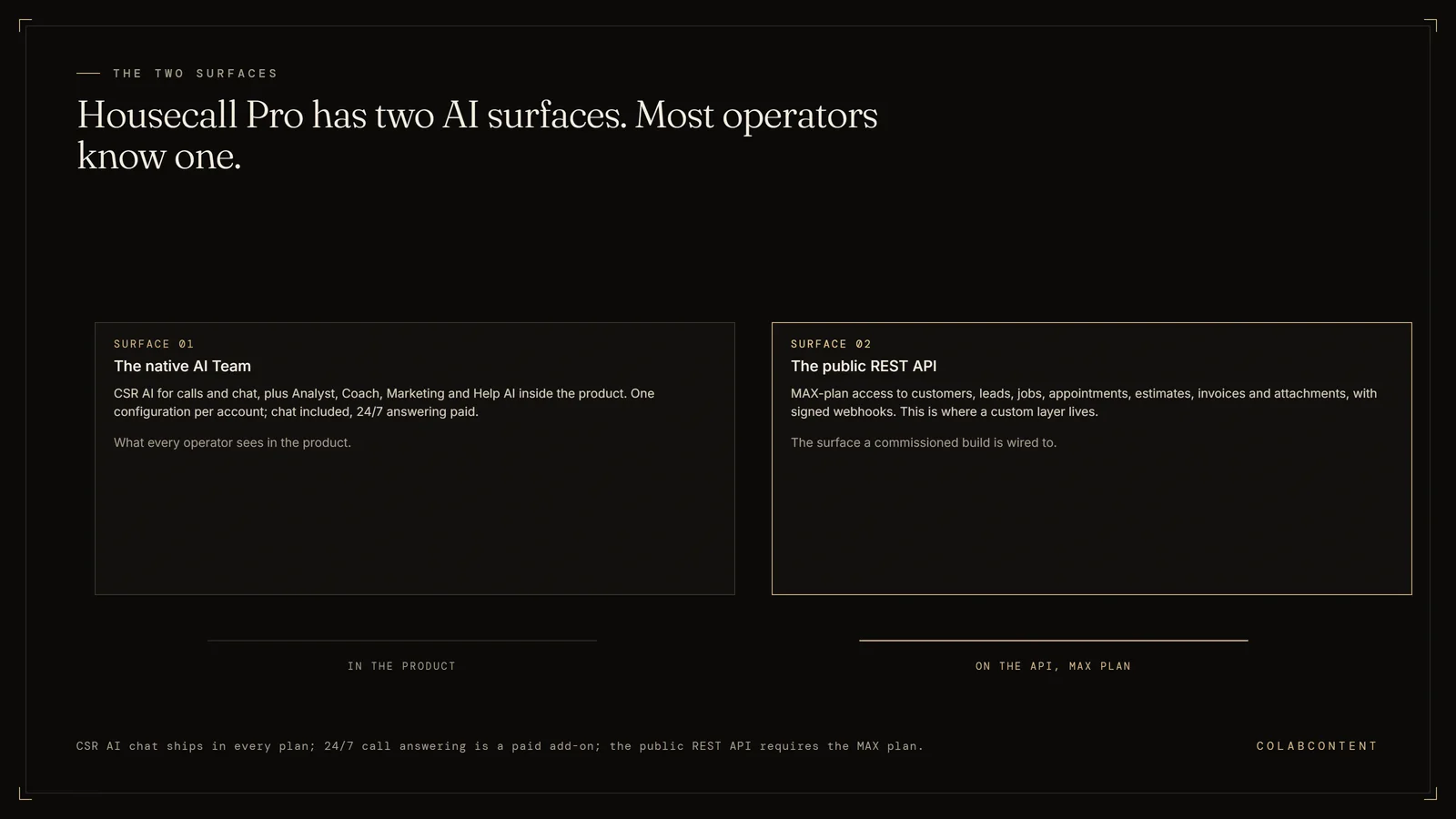
Housecall Pro AI integration happens on two separate surfaces, and most operators only know about one of them: the native AI Team (CSR AI for calls and chat, plus Analyst, Coach, Marketing and Help AI inside the product), and the public REST (a standard way for software to exchange data over the web) API (the connection one piece of software offers to another) with webhooks, which Housecall Pro restricts to the MAX plan. CSR AI chat is included in every plan while its 24/7 call answering is a paid add-on, and both run on a single configuration per account.
The API is where a custom layer lives, and it exposes customers, leads, jobs, appointments, schedule availability, estimates, invoices, employees, job notes and attachments, with signed webhooks across the customer, estimate, invoice and job-appointment lifecycles. Everything below is the honest boundary between the two. ColabContent is a Boston commissioning house that builds this layer for one fixed fee from $10,000, one time, with the operator owning the code at handoff; the $499 AI-Ready Audit is ordered at colabcontent.com/ai-ready-audit/. After the $499 AI-Ready Audit, the system that matters most is proven as a working prototype on your own data before any build fee is due.
Written for the owner or ops lead at a multi-location HVAC, plumbing, electrical or cleaning operator who has already turned on the native features, hit a wall, and wants to know whether the wall is a configuration problem, a plan problem, or a genuine build.
Key Terms
Average ticket value: the mean revenue per completed service call; AI-assisted diagnosis surfaces relevant add-on services the technician might not think to mention. CSR (customer service representative) handle time: the average duration of a customer service call from pickup to booking confirmation; AI pre-screening and data lookup cut this time significantly. Fleet utilization rate: the percentage of available technician-hours spent on revenue-generating work versus drive time, callbacks, and idle time. Dispatch optimization: using AI to match technicians to jobs based on skill, location, parts inventory, and customer history; the workflow where home services platforms see the fastest capacity gains.
The questions below cover does Housecall Pro have an AI receptionist, what is CSR AI in Housecall Pro and what can it not do and do I need the MAX plan to use the Housecall Pro API.
What the numbers say and where each path fits.
Most "we need a custom Housecall Pro AI integration" conversations should end in the first fifteen minutes, because the operator has not actually run the native tooling and measured it. CSR AI answers calls and chats, books onto the calendar, writes a summary into the call log, and hands the call off when a human is needed. For a single-location operator with one trade and one phone number, that is very likely the whole answer, and paying for a commissioned build instead would be a waste.
The conversations that should not end there hit a real ceiling, and it is almost always the same ceiling. CSR AI is configured once per Housecall Pro account. A multi-location operator with three trades, four service areas, six marketing phone numbers and different after-hours rules per brand cannot express that in one configuration. Neither can an operator whose routing logic depends on data that does not live in Housecall Pro, such as membership tier from a separate CRM (customer relationship management software), technician certifications from an HR system, or equipment history from a manufacturer portal.
When that is the situation, the build sits on the public API and the webhook (an automatic notification one system sends another when something changes) stream, not on top of CSR AI. And that is where the first hard constraint shows up: Housecall Pro states the public API is available to professionals on the MAX plan, and webhooks carry the same gate. Confirm the plan before anyone scopes anything, because a scope written against API access the account does not have is a scope that gets rewritten in week one.
Housecall Pro also publishes a further constraint that most vendors would bury, and it is worth reading plainly: the company states it cannot build or maintain custom integrations created via API keys, and does not provide dedicated support on API requests. That is a reasonable position for a platform to take. It also means whoever builds your integration owns it for its whole life, so the ownership terms of the build matter more here than they do on platforms with a partner engineering desk. If the wider question is build, buy or commission at all rather than this platform specifically, that framework is worth reading first.
What Housecall Pro's own AI does today.
Housecall Pro documents three escalation paths during company hours: forward to a number you provide, forward to an HCP Assist agent for note-taking (having those reps also book, quote or use your custom FAQs requires a separate HCP Assist subscription), or end the call politely and send you notes. After hours it can call you, text you, or log the call as a private note. The boundary worth knowing before you plan around it is language: Spanish conversation sits on Housecall Pro's coming-soon list rather than in the shipped product. In markets where a meaningful share of inbound is Spanish-language, that is not a footnote, it is the decision.Calls paidChat included
Both are MAX-plan features. Check the plan before you scope the build, not after. What a commissioned layer builds on top of this surface is covered in the API surface section below.MAX planGated
What you can actually read, write and listen to.
This section covers what the Housecall Pro API actually exposes today, from job and customer records to call recordings, and where its limits sit, since that limit is what decides what a commissioned layer can and cannot automate, and it is the first thing ColabContent checks before quoting any build.
Authentication, and the one thing to get right on day one.
Housecall Pro's public API authenticates with a bearer API key for an operator's own integration, and offers OAuth (the standard sign-in handshake between two systems) 2.0 for partner apps distributed across many accounts. If you are commissioning a layer for your own business, the API key is your path and OAuth is not relevant to you. An Admin generates the key inside the account under My Apps, then All Apps, then API Key Management, names it, and picks Full access or Read-only. Office staff cannot create or delete keys, so this is an owner or Admin task, not something you delegate to a dispatcher on a Friday.
The one thing to get right on day one: issue a Read-only key first. Every integration we have built against a field-service platform spends its first week reading and reconciling before it writes anything, and a Read-only key makes that a structural guarantee rather than a promise in a statement of work. When the read side is proven against real records, rotate to a Full access key and start writing. If your integrator objects to starting read-only, that is information about the integrator.
Treat the key like a production credential, because that is what it is. It belongs in a secrets manager inside the operator's own cloud tenant (a private cloud account), not in a vendor's dashboard, not in a shared spreadsheet, and not in the integrator's laptop environment file. Our full position on this is in the security questions to ask before an AI build.
The resources the API exposes.
The documented surface at docs.housecallpro.com covers the objects a call-handling and dispatch layer needs, and stops short of a few an operator might expect.
Customers. Search and retrieve by criteria, create new records, update existing ones. This is the object your answering layer touches first, and it is also where deduplication logic lives or dies. Inbound callers do not reliably match on phone number alone once a household has three numbers and two addresses.
Leads. Create a lead, list and retrieve leads, and convert a lead into an estimate or a job. This is the most under-used object on the list for anyone building call handling. An answering layer that is not confident enough to book can still create a lead, which keeps the record inside Housecall Pro and leaves the conversion decision with a human instead of with a model.
Jobs and appointments. Create a job, list and retrieve jobs, retrieve appointments for a job, read availability from the company schedule-availability endpoint, update a job's schedule, add notes to a job, upload file attachments to a job. The schedule windows returned by that availability endpoint are the important one for a booking agent, because they are how you find out what you are allowed to offer a caller rather than guessing.
Estimates. Create, list and retrieve estimates, and bulk-update the line items on an estimate option. Combined with the estimate webhook events, this is what makes an unaccepted-estimate follow-up loop buildable rather than theoretical.
Invoices. Two different reads exist and they are not interchangeable. There is a top-level invoice list, paginated and sortable, which is what you use for a book-wide financial view. There is also a job-scoped list of the invoices attached to a single job, which is what you use when you are reacting to one event. Reaching for the job-scoped read when you wanted the book-wide one is how a nightly reconciliation job turns into thousands of requests it never needed to make.
Employees. Retrieve the list of employees on the account. Enough to map a technician to a dispatch decision. Not a substitute for an HR system if your routing depends on certifications or licensing.
The webhook stream, event by event.
Webhooks are the difference between an integration that reacts and one that polls. Housecall Pro documents a broad event set, gates it to the MAX plan, and issues a signing secret so you can verify that a payload actually came from them. Verify every payload. An unverified webhook endpoint is an open write path into your operating data.
Customer lifecycle. customer.created, customer.updated, customer.deleted. The deletion event matters more than it looks: any downstream index or retrieval layer you build has to honour it, or you have quietly created a shadow copy of customer records that survives a deletion request.
Estimate lifecycle. estimate.created, estimate.updated, estimate.sent, estimate.scheduled, estimate.on_my_way, estimate.completed, estimate.copy_to_job, plus option-level events for estimate options created and approval status changed. This is the richest part of the stream and the most under-used. An estimate that was sent, never approved, and never followed up on is the cheapest revenue in the business to go get.
Invoice lifecycle. invoice.created, invoice.amount_updated, invoice.sent, invoice.paid, invoice.payment.succeeded, invoice.payment.failed, invoice.refund.succeeded, invoice.canceled, invoice.voided. Two of these are load-bearing for automation: invoice.paid is the honest trigger for a review request, and invoice.payment.failed is the trigger for a collections touch that most operators handle manually or not at all.
Job appointment events. Appointment-level job events, including discarded appointments. This is the feed a dispatch-assist layer listens to.
Rate limits, and what to do about the fact that they are not published.
We could not find published rate limits for the Housecall Pro public API, and independent integration guides say the same. That is not an accusation; plenty of platforms leave limits undocumented and enforce them anyway. It is a design constraint.
The correct engineering response is to build as though limits are tight and undisclosed. Exponential backoff with jitter on every call. Idempotency keys on every write, so a retry after an ambiguous timeout does not create a second job for the same caller. A request budget per workflow, logged, so you can see your own consumption curve before Housecall Pro sees it. And a hard rule that bulk reconciliation runs on a schedule outside business hours, never inline with a live call.
The related trap is reconciliation shaped the wrong way. A nightly job that walks every job in the book and pulls its invoices one at a time is a large number of requests against an API with unpublished limits, and it is unnecessary: the top-level invoice list is paginated and sortable, so scope the read to what changed since your last watermark and let webhooks carry the deltas in between. Choosing the wrong read here is the single easiest way to find the undocumented limit the hard way.
The five patterns that actually pay, and the trap inside each one.
These are the five automation patterns ColabContent has actually shipped on a Housecall Pro stack, and the trap firms run into when they try each one without a commissioned build, usually by skipping the human review step too soon, before the pattern has earned enough production history to be trusted unattended.
Pattern one: missed-call recovery.
The highest-value pattern in home services and the reason the answering-service market around Housecall Pro is so crowded. A call goes unanswered at 7pm on a Saturday. Either something picks it up or the caller dials the next contractor in the search results, and you never learn that it happened.
CSR AI addresses this directly and, for a single-location operator, usually well. The build version differs in one specific way: the recovery agent knows which number was dialled and therefore which marketing channel produced the call, and it can behave differently per channel and per location. It can also route on data outside Housecall Pro, which the native configuration cannot.
The trap. Recovering the call is not the win. Recovering the call and writing a job into Housecall Pro that the morning dispatcher trusts is the win. An agent that books aggressively into slots that do not exist creates a worse Monday than a missed call did. Read schedule windows before offering a time, always, and let the dispatcher confirm anything the agent was not certain about.
Pattern two: availability-aware booking.
Booking is the part of the workflow where an AI layer is either genuinely useful or actively destructive, with very little middle ground. The mechanics are unglamorous: retrieve schedule windows, filter by service type and service area, offer two or three real options, create the customer if new, create the job, attach notes, done.
The trap. Everyone builds the happy path. The value is in the unhappy paths. What happens when the caller's address falls outside every service area. When the trade requested is not one the operator offers at that location. When the customer already exists three times under three phone numbers. When the caller wants a time that only a specific certified technician can serve. Each of those needs an explicit decision, and the honest default for all of them is to capture, flag and hand to a human rather than guess. Our general position on where automation should stop is in what we do not build.
The way to know whether this playbook applies to your own setup is the $499 AI-Ready Audit, which checks it against your actual stack rather than the general case.
Pattern three: dispatch assist.
Housecall Pro's native dispatch is adequate for a single-trade operator. Multi-trade operators, HVAC plus plumbing plus electrical under one roof, tend to dispatch by hand and optimise within a trade, which means the cross-trade opportunity is invisible by construction. The AI layer reads the day's jobs, appointments and employees, proposes a route across all trades, and writes nothing until a human accepts it.
The trap. Dispatch is the workflow where operators most want full autonomy and where they should want it least. A dispatcher who has been moving those pins for nine years knows that the Thursday customer on Elm Street will not let anyone in before ten, and that fact is written down nowhere. Ship dispatch as suggestion-only and keep it there until the dispatcher starts accepting suggestions unmodified. If that never happens, the suggestion engine is wrong and the honest move is to say so.
Pattern four: unaccepted-estimate follow-up.
The quietest money in a Housecall Pro account. Estimates get sent, some get approved, and a meaningful share sit untouched because following up on them is nobody's actual job. The webhook stream makes this buildable without polling: listen for estimate.sent, watch for the option approval status change or the copy-to-job event, and after a configured interval with neither, trigger a follow-up sequence with the estimate's own context in it.
The trap. Cadence and consent. A follow-up sequence that fires too fast or too often converts a warm estimate into a complaint, and messaging regulations do not care that an AI sent it. Build the stop conditions before the send conditions, honour opt-outs at the customer record level so they survive a re-quote, and set the interval with the operator rather than picking a default.
Pattern five: review requests off the paid invoice.
The simplest of the five and the one most often wired to the wrong trigger. Operators fire review requests off job completion. Job completion means the technician marked it done. invoice.paid means the customer accepted the work and paid for it, which is a materially different emotional moment and a materially better ask.
The trap. Firing on every paid invoice regardless of what happened on the job. If there was a callback, a warranty visit, a refund, or a failed payment earlier in the sequence, the request should suppress itself. The events to suppress on are already in the stream: invoice.payment.failed, invoice.refund.succeeded, invoice.voided. Wiring the suppression is an afternoon. Not wiring it is how an operator ends up soliciting a one-star review from someone who had a bad week.
Where the native tooling stops, and where a commissioned layer earns its cost.
This section is about the line between what Housecall Pro's own tools already do well and where a commissioned AI layer starts to earn back its cost, once the workflow crosses from single steps into a multi-step decision that Housecall Pro's own automations were never built to make.
Six honest limits, stated plainly.
One configuration per account. CSR AI is set up once against your business details, hours, services and scripts. A multi-brand or multi-location operator with different trades and different after-hours rules per site is compressing that reality into a single configuration and losing information in the compression.
English only today. Housecall Pro lists Spanish conversation among its coming-soon capabilities. Until it ships, an operator whose inbound is meaningfully Spanish-language is choosing between the native tool and serving those callers. Check the current state yourself before you decide, because this is exactly the kind of item that moves.
Escalation hands over the call, not the context. The documented paths are a forward to a number you provide, a forward to an HCP Assist agent, or ending the call and sending you notes. Those are sound designs. None of them is a warm transfer where the receiving human already has the caller's history and the agent's notes on screen before they say hello, and the HCP Assist route adds a second subscription if you want those reps to book or quote rather than take a message.
Per-channel attribution on answered calls is not part of the native story. Housecall Pro documents call summaries and call logging. It does not describe splitting answered calls by marketing channel. If you are spending on PPC, LSA, Meta and TV simultaneously, that gap is your attribution.
API and webhooks are MAX-gated. Any build described on this page depends on the MAX plan. On a lower tier the realistic ceiling is Zapier-class connectors, which are fine for simple field-mapping and poor at conditional logic and state.
No vendor support for custom integrations. Housecall Pro states it cannot build or maintain custom integrations created via API keys and does not provide dedicated API support. Whoever writes your integration owns it permanently, which is precisely why who owns the code at handoff is not a procurement detail here.
When CSR AI is the right answer and a commission is not.
If you run one location, one or two trades, one main inbound number, and you have not yet measured what your after-hours call volume actually is, turn CSR AI on and measure it for sixty days. The call-answering piece is a paid add-on and Housecall Pro does not publish a price for it, so you will have to ask them for one, but it is configurable without an engineer and it is dramatically cheaper than a build. Housecall Pro's own marketing page states that CSR AI "delivers an average 42x Return on Investment," which is a vendor claim rather than an audited one, and we would not repeat it as fact. The direction is not implausible for an operator who is currently missing calls entirely.
We say this out loud because the alternative is a consulting house selling a $15,000 build to an operator whose problem was an add-on subscription and a Saturday afternoon of configuration. That is the version of this industry we are trying not to be. The same test applied across every vertical we work in is written up in build, buy or commission.
The five conditions under which a commissioned layer is worth it.
A custom layer on the Housecall Pro API earns its fee when at least two of these five are true, and rarely when only one is.
Multi-location or multi-brand. The single-configuration ceiling is binding and you can name specifically how the sites differ.
Marketing spend across three or more channels. You need per-channel attribution on answered calls, not just on form fills, and you are currently making budget decisions without it.
Routing depends on data outside Housecall Pro. Membership tier, technician certification, equipment history, warranty status, PE-platform reporting requirements.
A language requirement the native tool does not serve yet.
You intend to own the asset. Sponsor-backed platforms rolling up sites care about this specifically, because an answering configuration inside a vendor's dashboard does not survive a platform migration and a codebase in your own tenant (a private cloud account) does.
What we have actually run, with the numbers we are allowed to publish.
ColabContent is a Massachusetts firm, founded in 2020 as a content practice, building AI systems since 2024. Across the client set our voice systems have handled more than 6,000 live calls. Two of those engagements are relevant to anyone evaluating this page.
A multi-location home services operator. 1,486 AI-handled calls across 2,203 minutes. We are not naming them and we are not going to quote a revenue figure, because we do not have one we could stand behind publicly. What the call and minute counts establish is straightforward: this is a system carrying real inbound volume in this exact vertical, not a demo.
Jim Glaser Law. A law firm, not a home services operator, and we name it because they will take a reference call. 3,787 AI-handled calls across 5,514 minutes, running five channel-specific voice agents covering PPC, Organic, TV, Meta and LSA. That structure is the reason it belongs on this page: five agents on five numbers is what per-channel attribution on answered calls actually looks like when it is built rather than assumed. The mechanism transfers directly to a home services operator buying across the same channels. The vertical does not.
Elsewhere in the client set, a regional third-party logistics and warehousing operator at 211 calls and a realty firm at 148 calls. Two marketing agencies outsource their AI fulfilment to us. We publish the counts we have and decline to publish the ones we do not, which is the only honest way to do this after an industry that has been fairly relaxed about invented case studies. How we think about measuring any of it after handoff is in measuring ROI on a mid-market AI engagement.
What a Housecall Pro commission scope looks like.
One or two named workflows, not a platform. Read-and-suggest by default, with writes earned rather than assumed. A four-to-seven-week build cycle, fixed fee from $10,000 depending on integration depth and workflow count. A prototype against the operator's real Housecall Pro data inside seven to ten days, before the majority of the fee is committed.
Housecall Pro stays the system of record (the one system that holds the official copy of a record). We do not rebuild scheduling, invoicing or payments, and we would tell an operator who asked for that to keep their money. The layer sits above the platform and writes back through the documented API with a human in the loop until the operator has watched the output quality hold.
At handoff the operator owns the integration code, the prompts, the model selection and the data pipeline, and the system runs in their own cloud tenant. There is no license, no recurring fee and no dependency on us. Given that Housecall Pro explicitly does not support custom integrations, an operator who does not own the code is dependent on a single vendor for the life of the system, which is a worse position than it sounds like in a sales meeting.
Call-Center Leakage Calculator.
Nine inputs. If the number it returns is small, turn on CSR AI and skip the build. If it is not, bring the number to the call.
Run the calculator →2 minutes
No build required
The questions below cover does Housecall Pro have an AI receptionist, what is CSR AI in Housecall Pro and what can it not do and do I need the MAX plan to use the Housecall Pro API.
Frequently Asked Questions
These are the questions operators ask most often about Housecall Pro CSR AI and the Housecall Pro API, covering what the built-in AI receptionist does, what it does not do, and what plan you need to reach the API, since that plan requirement trips up more buyers than the API itself.
Does Housecall Pro have an AI receptionist?
Yes. It is called CSR AI and it is part of the Housecall Pro AI Team. It answers inbound calls and website chats around the clock, books jobs onto your calendar using your configured hours and services, logs a summary in your call log, and escalates when a caller needs a person. CSR AI chat is included in every Housecall Pro plan. The 24/7 call answering is the piece sold separately as a paid add-on, and Housecall Pro does not publish a price for it.
What is CSR AI in Housecall Pro and what can it not do?
CSR AI is Housecall Pro's built-in customer service agent for calls and chat. Three documented boundaries matter before you plan around it. Spanish conversation sits on Housecall Pro's coming-soon list rather than in the shipped product, so it runs in English today. Escalation forwards the call to a number you provide or to an HCP Assist agent rather than warm-transferring context to a briefed human. And anything that depends on data living outside Housecall Pro is outside its scope.
Do I need the MAX plan to use the Housecall Pro API?
Yes. Housecall Pro states that the public API is available to professionals on the MAX plan, and webhooks are gated the same way. This is the single most common surprise in a Housecall Pro AI integration scope. If the operator is on a lower tier, the integration budget has to include the plan upgrade, or the build has to fall back to Zapier-tier connectors with materially less control.
How do I get a Housecall Pro API key?
An Admin user generates it inside the account under My Apps, then All Apps, then API Key Management. You name the key and choose Full access or Read-only, then hand it to your developer. Office staff cannot create or delete keys. Issue a Read-only key first and let the integration prove itself in read-only mode before anything is granted write access.
Can I connect a different AI answering service to Housecall Pro instead of CSR AI?
Yes, and a crowded market of answering vendors publishes Housecall Pro connectors. The practical question is not whether a third party can write a job into Housecall Pro; most can. It is whether the answering layer can be configured per location, per trade and per marketing channel, and whether you own the configuration. Off-the-shelf answering services are usually one configuration per account.
What is the best way to integrate AI with Housecall Pro for a multi-location home services operator?
Start with CSR AI at one location for sixty days and measure it, because if it holds you have saved the build. Where multi-location operators outgrow it is configuration granularity: one voice configuration per Housecall Pro account cannot express different trades, different service areas, different after-hours rules and different marketing numbers. That is the point where a commissioned layer on the MAX-plan API and webhooks earns its cost.
Does Housecall Pro support webhooks for job and invoice events?
It does, on the MAX plan. The documented event set covers the customer lifecycle, the estimate lifecycle including sent, scheduled, on_my_way, completed and option approval changes, the invoice lifecycle including sent, paid, payment succeeded, payment failed, refunds, canceled and voided, and job appointment events. Housecall Pro issues a signing secret so you can verify payload authenticity. Verify every payload.
How much does a custom Housecall Pro AI integration cost?
ColabContent commissions fixed-fee builds from $10,000, scoped after an audit call, with the operator owning the code at handoff and the system running in the operator's own cloud tenant. Budget separately for the Housecall Pro MAX plan if the account is not already on it, since API and webhook access depend on it.
What does the operator own at handoff, and what is expected of us during the build?
The operator owns the integration code, the prompts, the model selection and the data pipeline at handoff, running in the operator's own cloud tenant, with no recurring license. During the build we need a Housecall Pro API key issued in read-only mode first, a named point of contact who can approve scope, and confirmation of which plan the account is on, since the MAX plan gates the API and webhooks this integration depends on.
Start with the $499 audit.
Bring your Housecall Pro plan tier, your inbound call volume, and the number of locations. The audit is enough to tell you whether this is a configuration problem or a build.
The questions below cover does Housecall Pro have an AI receptionist, what is CSR AI in Housecall Pro and what can it not do and do I need the MAX plan to use the Housecall Pro API.
Where to look next.
If you arrived here comparing field-service platforms rather than committed to one, the sibling references cover the same ground on the other systems: ServiceTitan AI integration for operators at the larger end, FieldEdge AI integration, and Workiz AI integration. The commissioning memo that sits alongside this technical reference, written from the operator's side rather than the API's, is the Housecall Pro AI playbook.
Operators weighing a platform's own paid AI module against a custom layer will find the same argument worked through in detail in ServiceTitan Pro Services versus a custom AI build, and the five most common misreads at sponsor-backed platforms are collected in five things PE platforms get wrong about field-service AI.
For budget and selection work before any of this becomes a project: what AI consulting costs in home services sets the bands, how to choose an AI consultant for home services is the diligence checklist, and the ranked guide to AI consultants for PE-backed home services platforms names who else is in this market and what each is genuinely good at. The broader vertical view is in the home services platforms brief and the measured baseline is in the home services platform AI benchmark.
And if the workflow you care about is not really a call-handling problem at all, start at workflow automation instead. Diagnosing that correctly at the start is worth more than anything else on this page.