Home/ Playbooks/ Epicor Kinetic AI

Epicor Kinetic AI integration playbook.

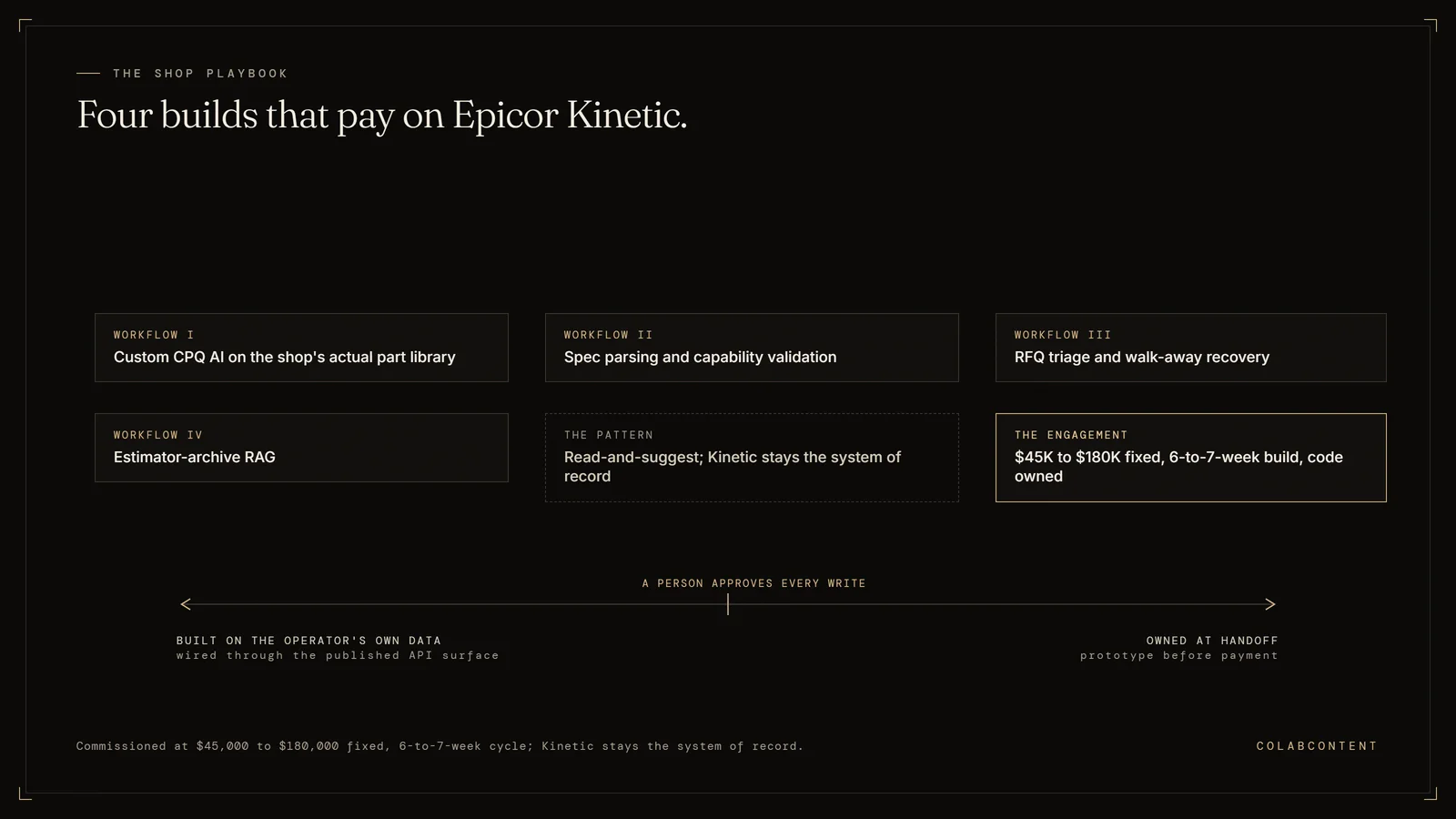
Epicor Kinetic AI integration for specialty manufacturers sits at the center of operations: it is where structured data lives and where the AI layer reads and writes. ColabContent commissions custom AI layers on top of Epicor Kinetic at fixed fee ($45,000 to $180,000), with code owned by the operator at handoff. Standard build cycle: 6 to 7 weeks. Integration uses Epicor Kinetic's API layer for read-and-suggest workflows; the system of record stays Epicor Kinetic.

Custom AI on top of Epicor Kinetic for $15M-$150M specialty manufacturers. CPQ AI, spec parsing, RFQ triage, walk-away recovery. 6-hour quote turnaround down to 11 minutes. Built on top of Kinetic, not replacing it.

ForOwner-CEO / Chief Estimator
StackEpicor Kinetic + custom AI layer
Build cycle7 weeks
Recovery range22% win rate uplift on speed alone

Why this memo.

Epicor's Prism AI roadmap is real and the team behind it is competent. The mid-market specialty shop running Kinetic with two senior estimators and a $34M annual run-rate is not the average Epicor customer. The leverage available to that shop is in custom CPQ AI built on top of Kinetic, calibrated to the shop's part library, the shop's pricing rules, the shop's customer history.

This memo is the architecture. Below: the Kinetic surface area we touch, the workflows we ship, and what we don't build.

The Kinetic surface area we touch.

Epicor Kinetic exposes the Epicor REST API and the Kinetic Functions framework, both authenticated and stable. Reads/writes against Quote, Job, Part, Customer, Operation, Resource Group, and the Engineering Workbench. For the AI layer, we read against the BAQ (Business Activity Query) layer, which is faster than table-by-table reads.

For shops with strict data-residency requirements, we deploy entirely inside the shop's Azure or AWS tenant. Epicor data does not leave the shop's environment.

Workflow I: Custom CPQ AI on the shop's actual part library.

The five-hour-quote-becomes-eleven-minutes workflow. The senior estimator at a $34M custom metals shop spends 30 minutes on the actual judgment call and 5 hours on parsing the RFQ, looking up part history, pulling current material costs, checking machine capacity, and formatting the response.

The custom AI version: reads the inbound RFQ (PDF, email, customer-portal upload), extracts part specs, looks up matching prior jobs in Kinetic, validates capability against current Resource Group state, drafts pricing on the shop's actual rules, formats the response in the customer's expected format. Senior estimator validates the judgment call, signs off, sends.

Recovery: median customer goes from 6-hour quote turnaround to 11-25 minutes. Win rate uplift on speed alone runs 18-25%.

Workflow II: Spec parsing and capability validation.

The "we can't do that" detection workflow. Every shop has capability constraints (tolerance, material, finishing process, machine envelope) that an inexperienced estimator may not catch on the first pass. The custom AI cross-references the RFQ specs against the shop's actual capability matrix in Kinetic.

Catches "we can't hold that tolerance on Mazak 5" before the quote goes out, not after the order arrives. Recovery range: 4-9% lift in win rate from spec-mismatch reductions.

Workflow III: RFQ triage and walk-away recovery.

Most shops walk away from 15-30% of inbound RFQs because the estimator can't get to them. The custom AI triages the inbound, drafts a fast no with a referral or a delayed-quote offer, captures the relationship for a future RFQ, surfaces the high-priority RFQs to the senior estimator first.

Revenue uplift on the walkaways alone: 8-15% in audited shops.

Workflow IV: Estimator-archive RAG.

Twenty years of quotes, part histories, customer-specific rules, and "the way we price that family of jobs." Custom retrieval over the Kinetic + document archive turns a junior estimator into a senior contributor for retrieval-heavy quoting.

What we don't build.

We do not replace Epicor Kinetic. We do not build a competitor to Epicor Prism. We do not build a generic chatbot the floor queries; the leverage is in CPQ workflow integration. If the shop wants Epicor's roadmap configured well, Epicor Pro Services is the right answer. If the shop wants the workflows above, on top of Kinetic, ours is.

Run your shop's number

Quote-to-Ship Leak Calculator.

8 inputs. Your shop's annual revenue leak from slow quoting, in real dollars.

Run the calculator
Free · 90 seconds
Real dollars
No exact figures required
Email gates the PDF only
Integration playbook

How a custom AI layer integrates with Epicor Kinetic.

Why this integration matters.

Epicor Kinetic sits at the center of the operational stack for many manufacturers. The workflows that route through it are the workflows where AI investment shows up first on the P&L: RFQ-to-quote, BOM construction, production scheduling, shop-floor data capture, vendor RFQ. A commissioned AI layer that integrates cleanly with Epicor Kinetic addresses those workflows without forcing the operator to migrate off the system of record.

Architecture: where the AI layer sits relative to Epicor Kinetic.

The most common integration pattern is a read-and-suggest pattern. The AI layer reads structured records out of Epicor Kinetic, runs the workflow it was commissioned to run, and writes back a suggested action that a human reviewer approves inside Epicor Kinetic's native UI. The system of record stays Epicor Kinetic. The AI layer never bypasses the human-in-the-loop step for production-data writes.

For lighter-touch workflows we have shipped read-only layers that extract structured data out of Epicor Kinetic, hand it to a reasoning step, and emit a report. No writes back. The operator uses the report as input to their existing decision process. Time to ship is faster, integration risk is lower.

For heavier workflows where the audit trail is structured and the failure cost is bounded we have shipped fully bidirectional integrations that close the loop end-to-end with structured logging. These engagements take longer (six to seven weeks rather than four to five), require more diligence on the read/write permissions inside Epicor Kinetic, and ship with a runbook for human review of edge cases.

The integration mechanics, in plain language.

Integration with Epicor Kinetic happens at one of three levels: the API layer, the webhook layer, or the database layer. The right level depends on what permissions the operator's Epicor Kinetic instance grants, what data the workflow needs to see, and what data the workflow needs to write.

API layer. Read and write through Epicor Kinetic's documented REST or SOAP endpoints. Cleanest, most maintainable, vendor-supported. Works when the data the workflow needs is exposed through the API.

Webhook layer. Subscribe to Epicor Kinetic events, react to them in real time, write back through the API. Good for workflows that need to fire when a specific record changes.

Database layer. Direct read against the underlying database, where the API does not expose what is needed. Brittle, requires direct hosting access, used only as a last resort and always with the operator's explicit approval.

Common pitfalls when integrating AI with Epicor Kinetic.

Treating the integration as an afterthought. The AI work is the easy part. The integration is the hard part. Operators that under-invest in the integration boundary spend the entire build cycle fighting authentication, rate limits, and edge-case schema. The commission scopes the integration boundary in the first week.

Skipping the human-in-the-loop step too early. Closing the loop end-to-end on day one is a recipe for hidden errors. Every engagement starts with human review of every AI output. Only after the operator has seen the output quality hold for sixty to ninety days does the human-in-the-loop step relax to spot-check.

Underestimating the data-cleanup work. Epicor Kinetic contains data the operator has entered over years. Some of it is clean. Some of it is not. The AI layer's quality is bounded by the data it reads. Cleaning happens as part of the build, not as a prerequisite for it. If the data is unworkable we flag it in the diagnosis call.

Building bespoke when a product would suffice. If Epicor Kinetic already has a productized AI feature that covers the workflow, the operator should evaluate it before commissioning a custom build. We will tell the operator honestly when that is the right answer.

Reference: prior commissions involving Epicor Kinetic.

Specific numbers are bound by NDA but the pattern is consistent across the engagement set: the operator runs the workflow faster, with fewer hands, and with a structured record of every AI-generated suggestion alongside the human approval.

What a Epicor Kinetic engagement scope looks like.

A typical Epicor Kinetic commission scope: one or two specific workflows, read-and-suggest pattern, four-to-seven-week build cycle, fixed fee in the $45K to $180K band depending on integration depth and workflow complexity. The diagnosis call identifies the workflow. The prototype demonstrates feasibility against the operator's real data inside seven to ten days. The production build ships inside the operator's own cloud tenant under NDA.

The operator owns the Epicor Kinetic integration code, the AI prompts, the model selection, and the data pipeline at handoff. We do not retain a license, a recurring fee, or a vendor relationship that the operator depends on.

Extended questions

The questions buyers ask after the first one.

How much of the buy decision should the operator make versus delegate.

The right shape of the buying motion has the operator-owner or operating partner in the room for the diagnosis call. The constraint identification is too consequential to delegate to a department head. The implementation work that follows can and should be delegated; the decision on which constraint a commission addresses cannot.

How to evaluate references the consulting house presents.

Three questions per reference. First, what was the named constraint the commission addressed at this operator. Second, what was the measured result twelve months post-handoff, in dollars or hours. Third, does the reference operator still run the system. Vague references on any of those three are flags. ColabContent provides direct introductions to past commission operators for any prospect that asks; a fifteen-minute call to the operator is the most honest signal a prospect can get.

How a fixed-fee commission scopes overage risk.

The fixed fee is set after the diagnosis call, after the integration depth is named, and after both sides have written the constraint in a sentence. Overages occur when the operator changes the scope mid-build (a different workflow, a different integration, an additional system). Either side can pause the build to renegotiate; neither side absorbs hidden overages without explicit agreement. The default is to ship the original scope and address scope expansion in a separate engagement.

What happens to the system one year after handoff.

The system continues to run inside the operator's cloud tenant. Models, prompts, and integration code are versioned and the operator has the source. When the underlying foundation model improves (a new release from the model vendor, a new open-weight option), the operator can swap the component without renegotiating the engagement. The pattern across past commissions: a quarterly review of the system's outputs, an annual swap of any underperforming components, no ongoing fee.

When the right call is not a commission.

The right call is sometimes a product (when the workflow matches a product's calibration target), sometimes an internal hire (when the operator has a five-year horizon and a $5M AI runway), sometimes a Big Four engagement (when the operator is large enough that the strategy-then-build separation makes sense), sometimes no AI right now (when the operator's leading constraint is not actually addressable with AI). We tell prospects when their constraint falls into one of those buckets and route them to whichever path fits. The four-commissions-per-quarter cap is real; the firms that get one of those four slots are the firms where the commission is the right buying motion.

The five-minute fit-check worksheet.

Operators who want to test the fit before booking a diagnosis call can run a five-minute self-check on six questions. First, is the operator's annual revenue in the $8M to $50M band. Second, is there a named workflow where time or money is leaking measurably. Third, has the operator tried an off-the-shelf product and either rejected it or hit a misfit ceiling. Fourth, is the operator comfortable running the system inside their own cloud tenant under NDA. Fifth, can the senior operator commit to forty-five minutes for a diagnosis call. Sixth, is the budget runway for a $45K to $180K fixed fee real this quarter.

Six yes answers means a diagnosis call is worth the forty-five minutes. Three or fewer yes answers means the right next step is probably one of the alternatives. Four or five yes answers means the call surfaces whether the missing one is addressable.

What to bring to the diagnosis call.

Two artifacts make the call substantially more productive. First, a one-page description of the leading constraint, written in the operator's words, naming the workflow and the rough dollar or hour leakage. Second, a list of the systems the operator uses for the workflow (the system of record, the related tools, the integration boundaries). Neither artifact has to be polished. The point is to surface the constraint quickly so the call's forty-five minutes are spent on diagnosis, not exposition.

Ready when you are

Book the 45-minute diagnosis.

Custom CPQ AI on your Kinetic instance, on your real part library, scoped to ship in 7 weeks.